 Suomi
 Français
 Deutsch
 Polski

Compare Platforms with an Expert
Not sure which platform fits your goals and team? We’ve implemented both. Let’s break down features, cost, and scale together.



If you’re comparing Salesforce Marketing Cloud vs HubSpot, chances are you’re at a crossroads. Maybe marketing’s outgrown the current stack. Or sales is tired of jumping between tools that don’t talk to each other. Or maybe you’ve just hit that point where you realize: to scale, you need automation that doesn’t fall apart every time someone goes on holiday.
We’re here to help, with a practical guide for people who want to know what these platforms can actually do, what they don’t do, and which one makes more sense depending on your structure, budget, and team.
We’ll show you how to choose between Salesforce and HubSpot’s platforms, and how you can make the most of both, with help from Routine Automation.
Compare the products and editions that match your requirements, rather than a generic Salesforce-versus-HubSpot label. This guide focuses on HubSpot Marketing Hub and Salesforce Marketing Cloud Engagement-style messaging and journey work. Salesforce also offers Marketing Cloud Next editions and Account Engagement for different architectures and use cases; they are not interchangeable packages.
Start with your data sources, campaign channels, consent requirements and operational capacity. Company size alone does not decide the fit.
HubSpot, on the flip side, is quicker to grasp and easier to live with. One isn’t automatically better than the other. The fit depends on you. Your team, what you’re building, your budget, and your goals.
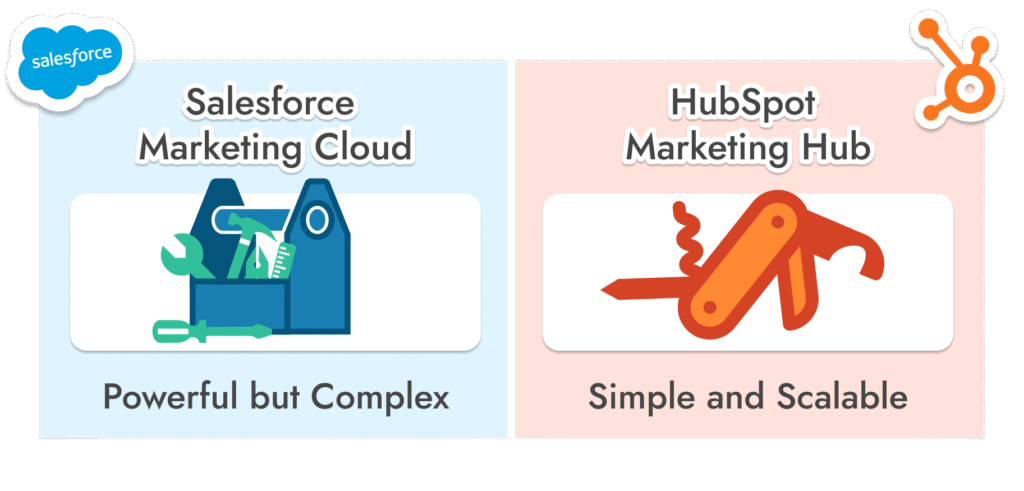
If you’re reading this, you’re likely trying to choose between power and simplicity, so here’s roadmap to making the right decision.
Salesforce Marketing Cloud isn’t something you casually trial for a week and decide to roll out. This platform is built for enterprise teams that already have data flying in from a dozen systems and need one central place to turn that chaos into orchestrated, multi-channel campaigns.
It’s serious infrastructure, for teams that have a Salesforce admin (or five), data analysts on speed dial, and a long-term automation roadmap.
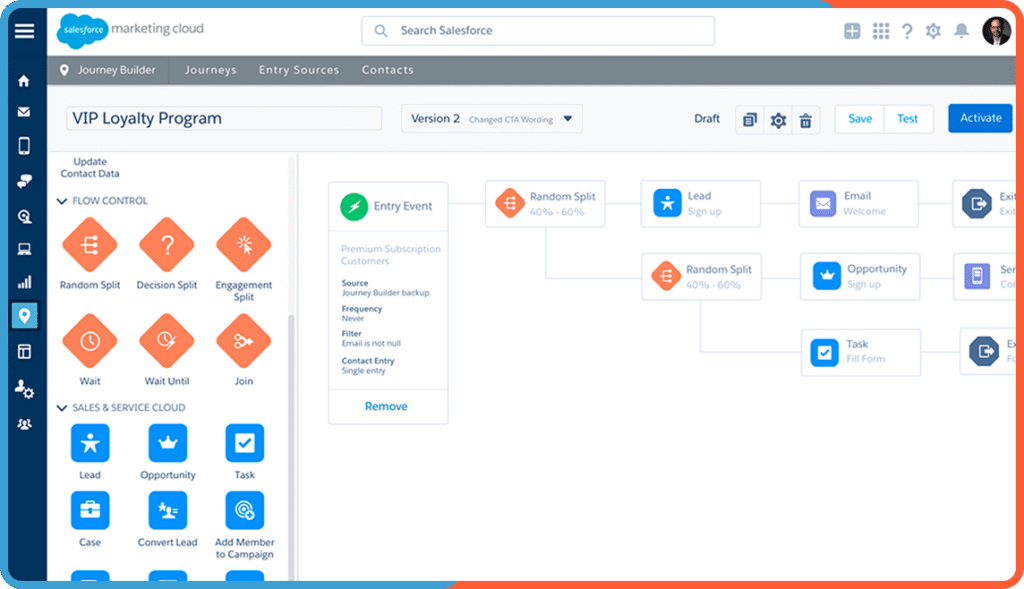
At its core, SFMC is modular. It’s made up of different “Studios” and “Builders,” each designed to do one big thing, and do it well:

Email Studio handles dynamic, personalized email at scale.
Journey Builder lets you map out end-to-end workflows based on behavior, engagement, and timing.
Reporting and attribution may require separately licensed intelligence tools and additional data integrations; confirm the selected product and reporting scope.
Advertising and audience activation depend on the current product offering, supported channels, connectors and account entitlements. Verify availability rather than assuming a legacy studio is included.
Mobile Studio is what you’d expect: SMS, push notifications, etc.
Predictive and AI features vary by product, edition, usage allowances and data readiness; validate the specific use case in the proposed package.
Implementation time depends on data readiness, integrations, campaign scope, consent design, testing and training. Define these dependencies before proposing a delivery schedule; there is no universal three-to-six-month requirement for every Salesforce implementation.
So yes, it’s incredibly powerful. But it’s not what you reach for if you’re short on technical support or racing toward a quick launch.
That said, if you’re managing millions of customer records and need advanced personalization at scale, there aren’t many Salesforce marketing cloud alternatives that can go toe-to-toe with it.
Configure SFMC the Smart Way
Our team helps you launch Salesforce Marketing Cloud without the overwhelm. From setup to segmentation, we make it work for your business.
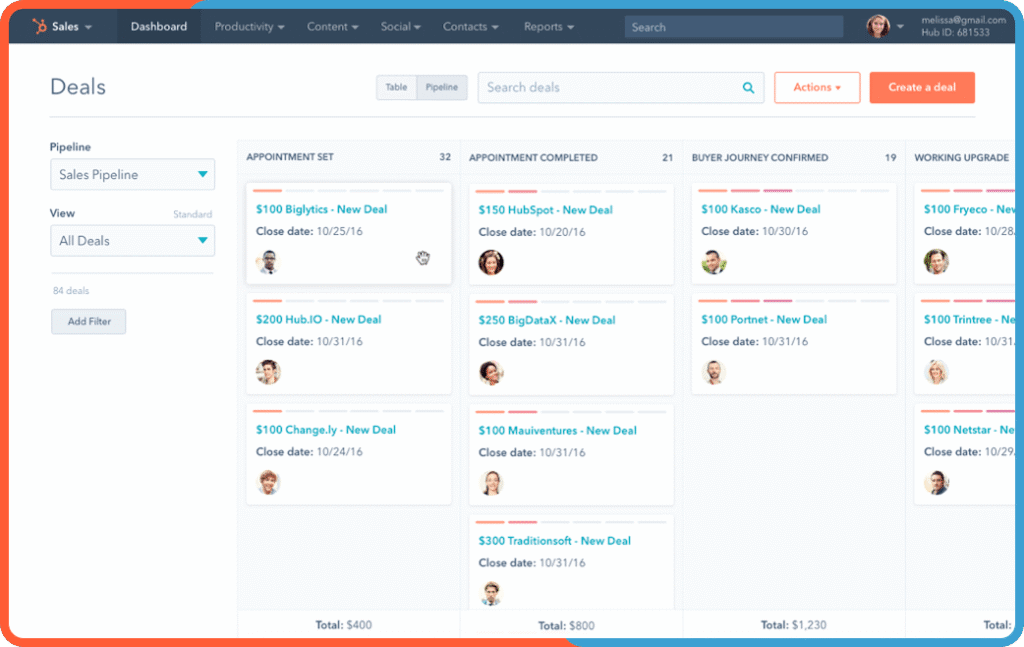
Marketing Hub is HubSpot’s marketing software on its shared CRM platform. The selected edition determines available campaign, automation and reporting tools; content-management capabilities and other hubs must be scoped separately where needed.
The automation builder is genuinely intuitive. You can build automations just by dragging things around, and don’t need any code knowledge.
Personalization is pretty easy with smart content rules. You can adjust pages and emails based on who’s viewing them, without needing custom code.
Check which reporting and attribution capabilities the selected HubSpot edition provides, then confirm the lifecycle definitions and source data needed to make the reports meaningful.
A limited launch may be simpler than a multi-system rollout, but scope data cleanup, workflow testing and team training before committing to a date.
HubSpot marketing, sales and service tools use shared CRM records. How a message, ticket or deal affects a workflow still depends on configuration, association quality, permissions and edition. Validate those transitions rather than assuming a shared platform prevents every data or handoff problem.
A shared CRM can reduce some handoff work, but HubSpot still needs process ownership, data governance, permissions and training. The required administration effort depends on the scope, not just the platform brand.
But, pricing scales based on marketing contacts, not just total contacts. You pay for any contact you actively market to. That means cleaning lists and managing contact tiers becomes a real job. Still, for teams that value speed, flexibility, and usability over deep customization, HubSpot vs SFMC isn’t much of a contest, HubSpot gets you from zero to launched without friction.
Fast, Flexible HubSpot Rollouts
Whether you’re launching your first campaign or migrating from a legacy platform, Routine Automation helps you move quickly and scale smart.
At first glance, the platforms seem pretty close, both promising automation, insights, and campaign tools. But once you start using them, the differences become obvious. It’s not just what they offer. It’s how your team moves through the system that makes one feel lighter and the other more layered.
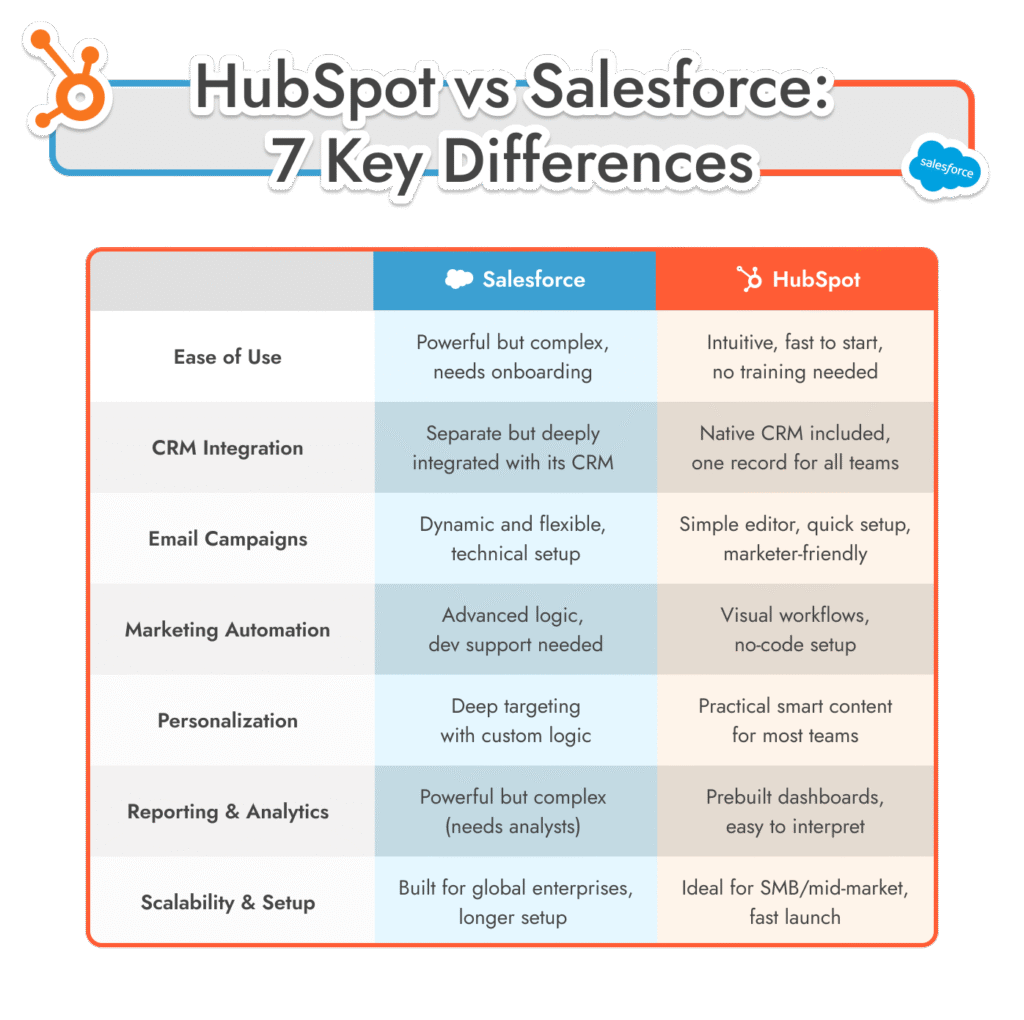
Here’s how a HubSpot Marketing Hub vs Salesforce Marketing Cloud comparison breaks down:
Evaluate the operational work for the selected Salesforce marketing product: data modelling, integrations, audience/consent rules, campaign testing and ongoing ownership. Some requirements need specialist support; a broad enterprise label does not explain which skills your team will need.
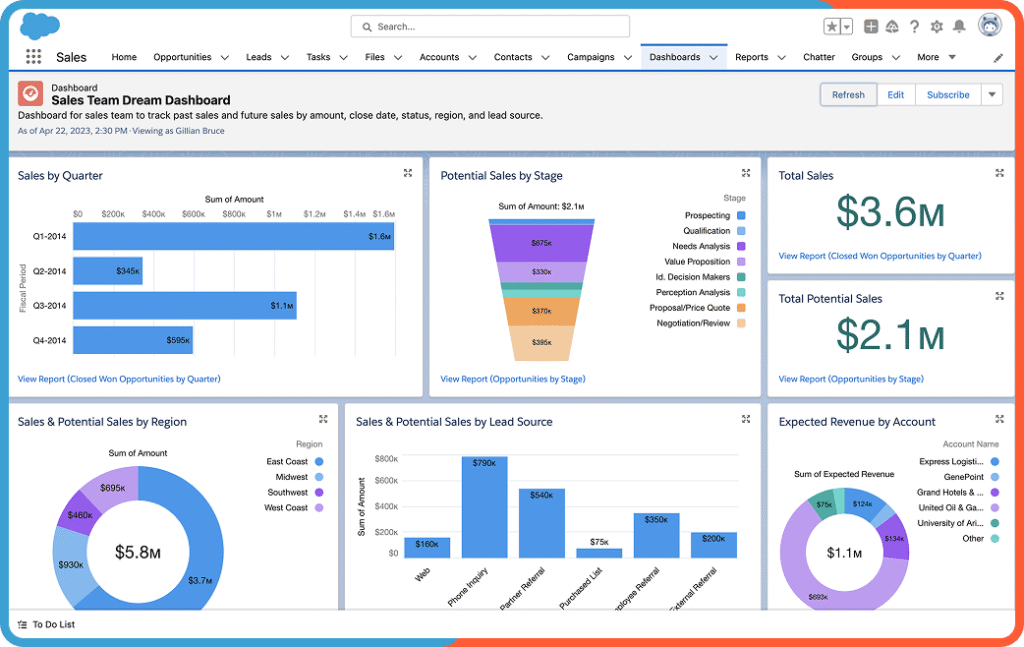
HubSpot’s shared CRM and visual tools may suit teams seeking a connected campaign workflow. Still test your actual use case with the intended users and verify permissions, advanced automation and edition limits; ease of use is not the same as zero setup.
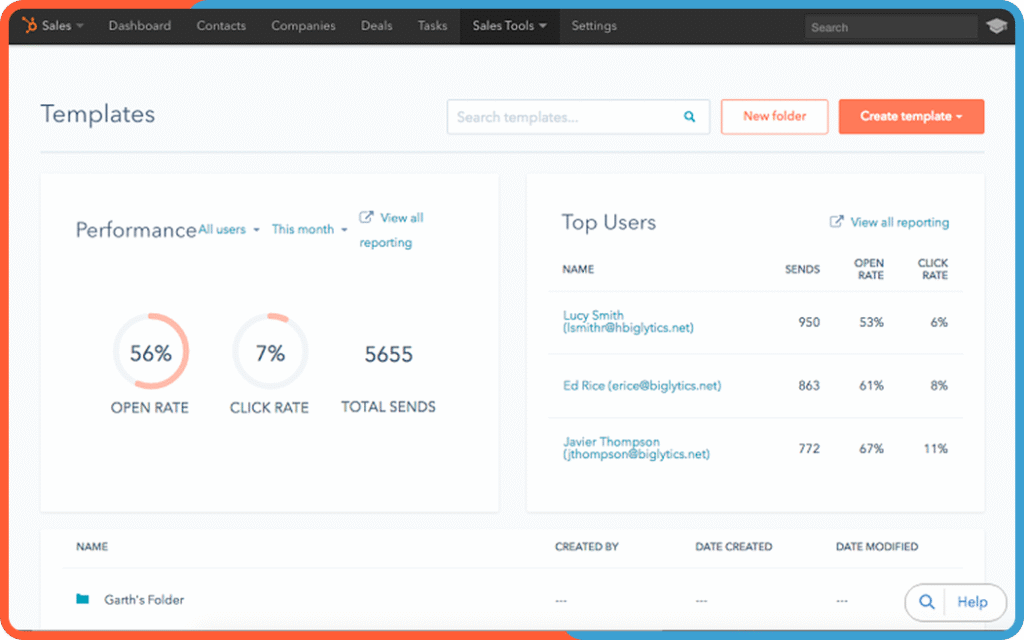
Separate the CRM data model from the marketing product. Marketing Cloud Engagement requires an integration/data design for Sales or Service Cloud context, while newer core-platform Salesforce marketing offerings have a different architecture. Verify the selected product, identity model and synchronization requirements before comparing it with HubSpot’s shared CRM. Related reading: HubSpot vs Salesforce CRM.
HubSpot combines marketing tools with shared CRM records, but the implementation still needs clean associations, lifecycle definitions, permissions and tested integrations. A shared database does not prevent duplicates, incorrect attribution or poorly configured automation by itself.
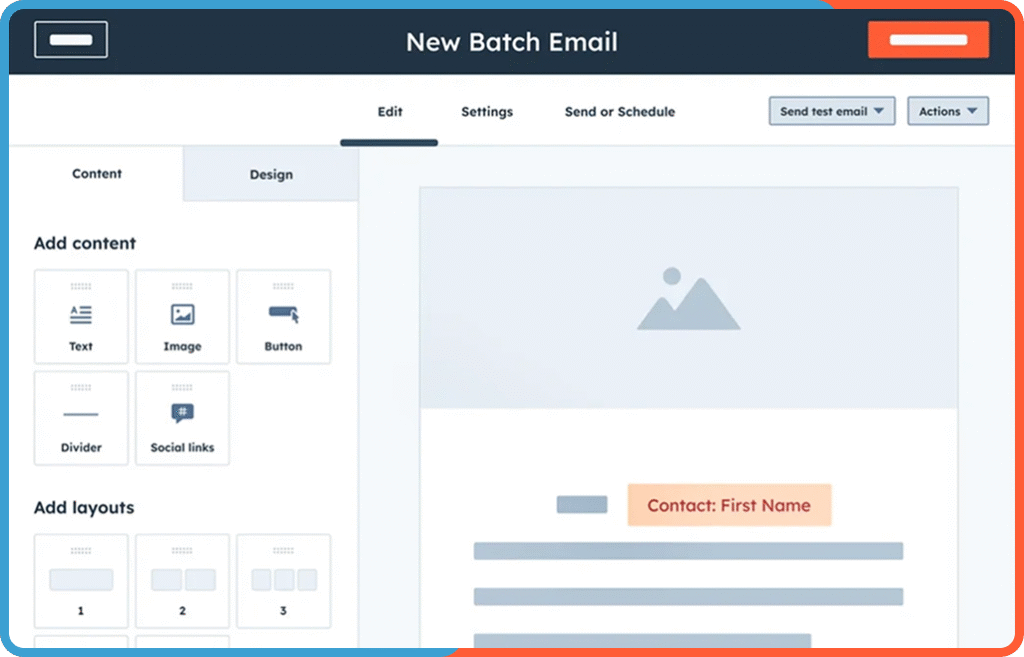
If email is a core part of your marketing strategy both platforms offer serious capability, but the experience is very different. Salesforce Marketing Cloud gives you total flexibility, with tools like Email Studio that let you personalize messaging down to the behavioral level. Want to trigger emails based on a product return or an abandoned cart with AMP content and dynamic images? You can, if you know how.
Using HubSpot feels straightforward. The email editor is smooth, quick to learn, and doesn’t require any technical know-how. You can test subject lines, add personalization, and track results without digging through menus or reading documentation. It’s the kind of tool you just start using without much ramp-up.
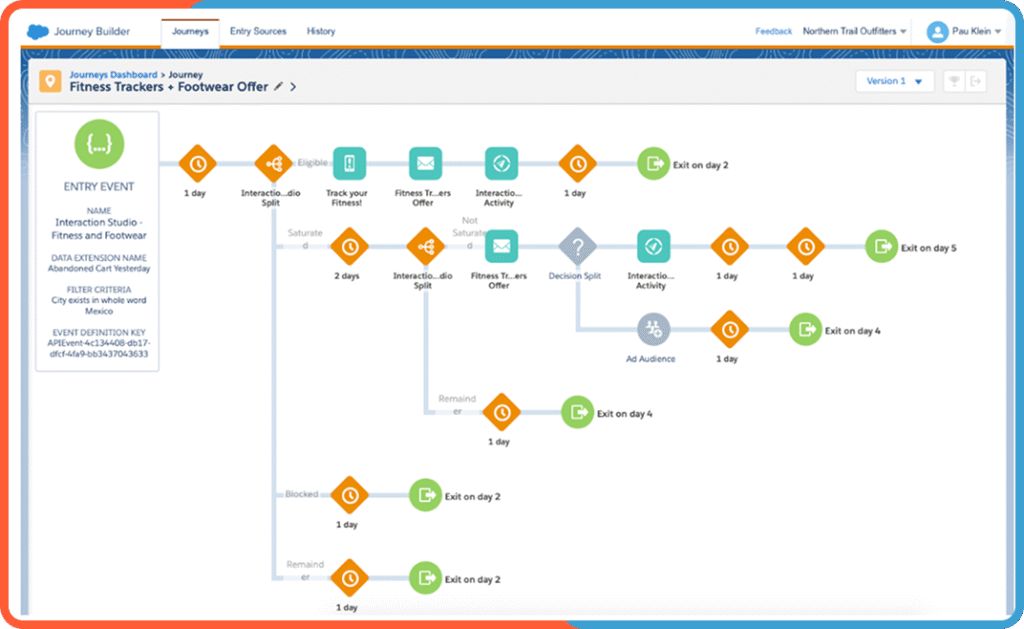
This is where the real divergence happens in the Salesforce marketing cloud vs HubSpot marketing hub debate. Salesforce Marketing Cloud comes with Journey Builder, a tool that allows you to create incredibly detailed automation workflows.
You can factor in lead score changes, cross-platform behavior, AI recommendations, custom objects, and much more. But building a good journey takes time. It’s not a plug-and-play experience, it’s a logic-based, highly configurable process that usually needs a developer or experienced consultant behind the wheel.
For supported workflow actions, HubSpot provides visual automation tools. Select an eligible edition and test enrollment, branching, exclusions, re-enrollment and failure handling. Custom integrations or requirements outside the available actions can still need technical support.
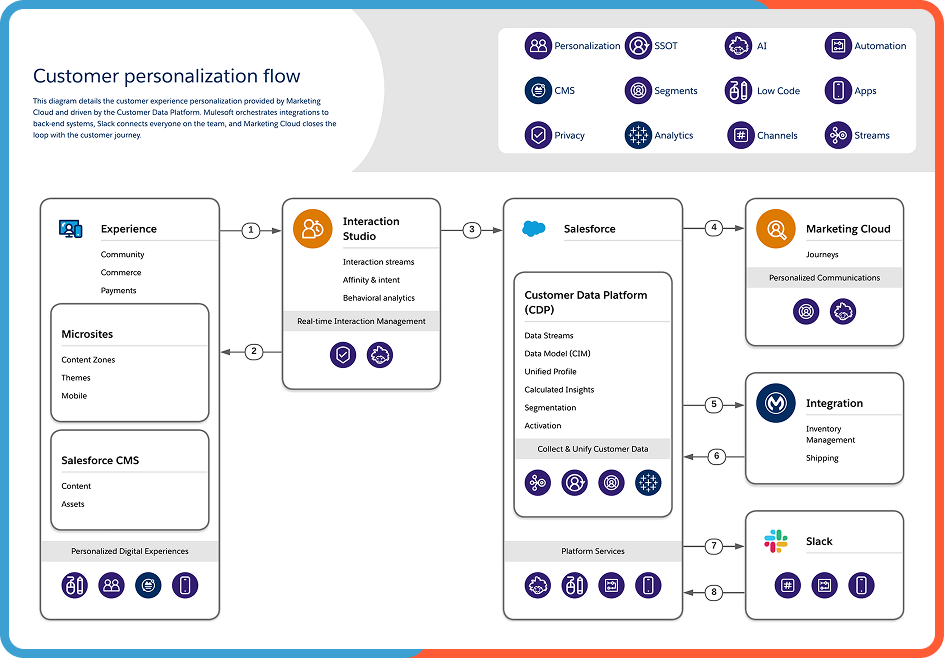
For a Marketing Cloud Engagement evaluation, check how the proposed edition and integrations support the required dynamic content, channels, customer identifiers and event freshness. Demonstrate the exact personalization scenario rather than assuming every product in the marketing family supports the same capabilities.
Validate the exact event, channel, data and edition requirements for your personalization use case. Neither a generic promise of real-time enterprise capability nor a blanket claim that HubSpot cannot support a scenario is a substitute for a working design.
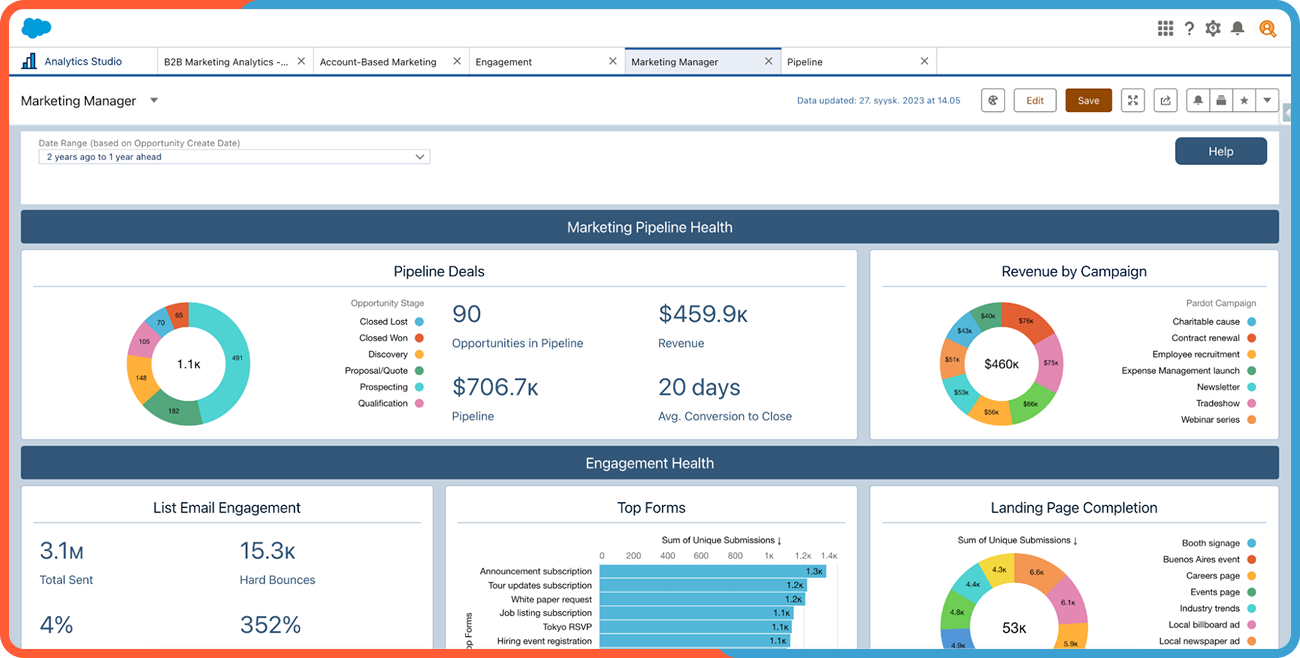
Again, the difference between HubSpot vs Salesforce marketing cloud really stands out here. Salesforce Marketing Cloud gives you raw power in the form of Datorama (now branded as Marketing Cloud Intelligence) and Einstein Analytics. You can draw insights from third-party apps, data lakes, ad platforms, and more. But unless you have a data analyst on staff, a lot of that insight stays locked behind complexity.
HubSpot opts for ready-to-use dashboards that make sense to the average marketer. Attribution reports, campaign performance metrics, contact engagement, revenue tracking, it’s all there, clickable, and readable. For many companies, especially those without a full data team, this simplicity is exactly what they need. And if you do want to dig deeper? HubSpot’s custom reporting tools are getting better every year, especially at the Professional and Enterprise tiers.
For multi-brand or regional marketing, assess the selected Salesforce product’s data separation, identity, channel, permission and approval requirements. Confirm what is native, what needs configuration and what requires another product or integration; budget an operating owner for the result.
For HubSpot, test the required objects, teams, permissions, approvals and data visibility against the selected edition and expected usage. Do not infer an unlimited capacity or a fixed SMB ceiling from the brand; validate the particular governance and integration requirements.
Estimate implementation separately from software licensing. Cost and duration depend on the chosen marketing product, clean and usable data, number of integrations, journeys, brands, permissions, validation and training. Both platforms require an accountable operating owner after launch.
For HubSpot, a focused configuration on clean shared CRM data can be different in scope from a migration with custom objects and external systems. Include internal staff time, paid onboarding where applicable, partner delivery and ongoing administration in total cost; do not assume implementation has no cost or is always cheaper.
Salesforce publishes marketing pricing by product and edition. Confirm whether the proposal concerns Marketing Cloud Engagement, Marketing Cloud Next or Account Engagement, what usage is included and the billing unit. A single starting price cannot represent all of them.
Compare license and usage allowances, required add-ons, onboarding, implementation, integrations and ongoing support as separate budget lines. Obtain a scope-matched quote before comparing total cost; avoid applying a generic support percentage to every contract.
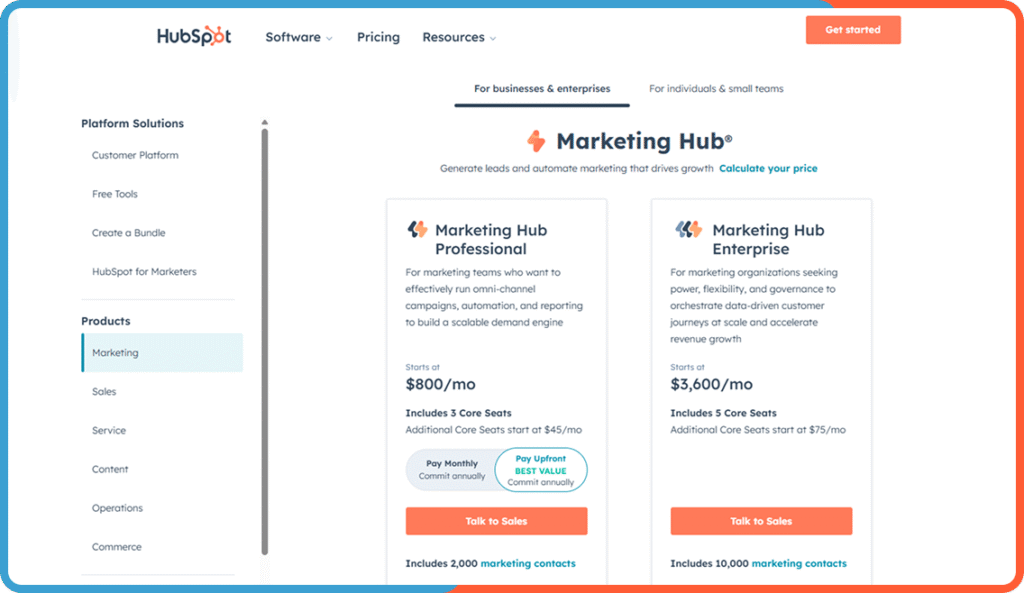
HubSpot publishes Marketing Hub pricing by edition, with features, seats, marketing contacts and any onboarding or usage conditions to review. Free CRM tools are not equivalent to paid Marketing Hub automation and reporting. Check the current catalog and your contract rather than assuming all tiers include the same features.
Source checked 30 October 2026: Salesforce marketing pricing. Recheck the selected edition and account configuration before implementation.
Source checked 30 October 2026: HubSpot Marketing Hub pricing. Recheck the selected edition and account configuration before implementation.
Feature | Salesforce Marketing Cloud | HubSpot Marketing Hub |
|---|---|---|
Ease of Use | Complex; training and setup required | Intuitive UI; easy for non-tech teams |
CRM Integration | Salesforce CRM | Native CRM included |
Email Marketing | Dynamic content, AMP, customizable flows | Visual editor, fast templates, split testing |
Automation | Journey Builder with advanced triggers and branching logic | Visual no-code builder; fast to deploy |
Personalization | AMPscript, behavior-based, dynamic across channels | Smart content, tokens, user-based rules |
Analytics | Edition-specific reporting; intelligence tools may be separate | Prebuilt and customizable reports; easy to interpret |
Scalability | Built for global enterprise campaigns | Verify objects, permissions, usage and edition requirements |
Implementation Time | Scope-dependent: data, integrations, testing and training | Scope-dependent: data, workflows, integrations and enablement |
Pricing Model | Product/edition, usage, add-ons and delivery costs | Edition, marketing contacts, seats, onboarding and delivery costs |
Compare Platforms with an Expert
Not sure which platform fits your goals and team? We’ve implemented both. Let’s break down features, cost, and scale together.
Neither platform is “better” across the board. It depends on who you are, what you’re building, and how your team operates.
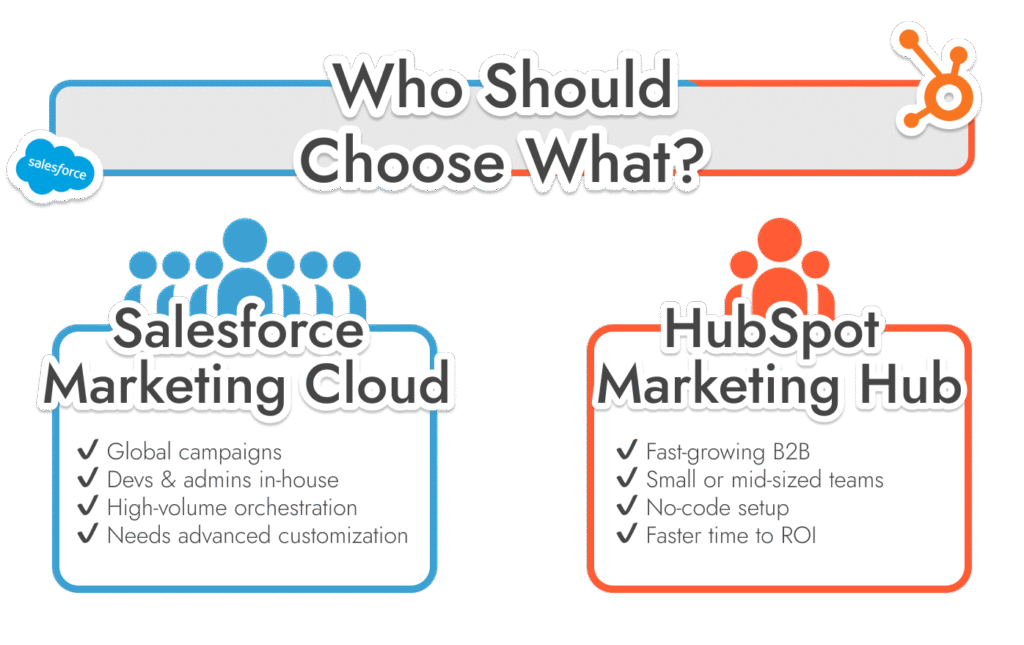
If you’re a global organization running multi-brand campaigns across regions, and you’ve got developers, Salesforce admins, and analysts in the mix ,Salesforce Marketing Cloud probably makes more sense. It’s powerful, deeply configurable, and built for serious enterprise orchestration.
Some teams confuse Marketing Cloud with Pardot (now called Account Engagement), but they’re built for different use cases. If you’re still deciding between the two, check out our deep dive on Pardot vs Salesforce Marketing Cloud.
A B2B team may find HubSpot a fit when its shared CRM, selected features and operating model meet the requirements. Validate administration, training and integrations before assuming a lower cost or faster result. Compare the same accepted scope on each platform.
Our team at Routine Automation has helped companies implement, migrate, and scale on both platforms. In some cases, clients even move from one to the other, because what fit at 10 people doesn’t always work at 100. The real trick is aligning the platform to your stage of growth, your tech stack, and your internal bandwidth.
When you’re ready to have that conversation, we’re here.
Illustrative platform-selection scenarios — examples for planning, not customer outcomes. A B2B team whose marketing and sales already share HubSpot may prefer configuring lifecycle stages, forms, nurture and reporting in that CRM when the selected edition meets the requirements. Test consent, routing and sales acceptance before assuming more automation will produce qualified demand.
A team with an established Salesforce estate, multiple data sources and complex messaging journeys should compare the relevant Salesforce marketing product and HubSpot against those exact dependencies. Existing Salesforce CRM use alone does not remove integration work, and enterprise requirements alone do not prove HubSpot is unsuitable. Validate identities, consent, data refresh, channel requirements and who will operate the system.
Running both is also a design option: retain Salesforce for the agreed CRM processes and HubSpot for supported marketing workflows, with explicit record matching, field ownership, inclusion and error handling. Before changing platforms, document which unmet requirement justifies migration and which can be solved by fixing the existing setup.
The important difference is the selected product architecture and operating requirements: shared-CRM marketing workflows versus the messaging/journey, data and integration capabilities of the Salesforce product you evaluate. Both suitability and complexity depend on scope and edition.
HubSpot can suit a smaller team when its selected edition and shared CRM match the process, but that does not remove the need for data ownership, configuration and training. Compare your requirements and operating capacity before choosing.
Both vendors publish product pricing, but a useful comparison also needs the correct editions, usage, onboarding, implementation and ongoing operating costs. Use current vendor pages and a scope-matched quote; a base license price is not total cost.
There is no universal rollout duration for either platform. Scope data readiness, integrations, campaign rules, testing, permissions and enablement; agree acceptance and a delivery schedule after discovery.
It can, and many teams use that exact setup. Salesforce handles the CRM side, and HubSpot runs marketing. The two sync well if you configure them right. We wrote a full guide on how it works here: Hubspot-Salesforce integration