 Suomi
 Français
 Deutsch
 Polski

Unify your Tech. Drive More Growth
Don’t settle for disconnected systems. Let Routine Automation turn your HubSpot and Salesforce stack into a powerful, integrated growth engine.



It’s a common setup: your marketing team is managing a flood of leads in HubSpot, probably taking advantage of the built-in automation tools and easy-to-use features. Elsewhere, your sales team is diligently managing customer relationships in the world’s favorite CRM: Salesforce.
Both groups are doing fine separately, but the disconnect between them quickly starts to cause problems. Strategies are misaligned, efforts are duplicated, and opportunities are missed. That’s when a HubSpot Salesforce integration starts to feel essential – because it is.
Sales and marketing teams don’t work well in silos. When your tools talk to each other, thanks to a HubSpot to Salesforce integration – everything flows more smoothly. Employees stop stepping on each other’s toes. Teams stop wasting time copying and pasting data. You get one connected system that helps everyone stay in sync, move faster, and make smarter decisions with less hassle.
At Routine Automation, we make that connection happen. We don’t just connect HubSpot to Salesforce, or vice versa. We tailor the integration to fit how your business actually runs. Our team handles the heavy lifting so your people can stay focused on what they do best – driving growth.
If you’re still wondering “Does HubSpot integrate with Salesforce?” the simple answer is yes: and taking advantage of that connection is transformational.
When you’ve got leads coming in through HubSpot and sales being tracked in Salesforce, things can get messy fast. Unless the two platforms are truly in sync. A disconnect between systems often leads to miscommunication, dropped opportunities, and a general sense that “something’s not adding up.”
That’s why a Salesforce integration with HubSpot makes sense. Connecting these two tools isn’t just about bridging tech gaps, it’s about aligning people, processes, and outcomes.
When you integrate HubSpot and Salesforce you get:
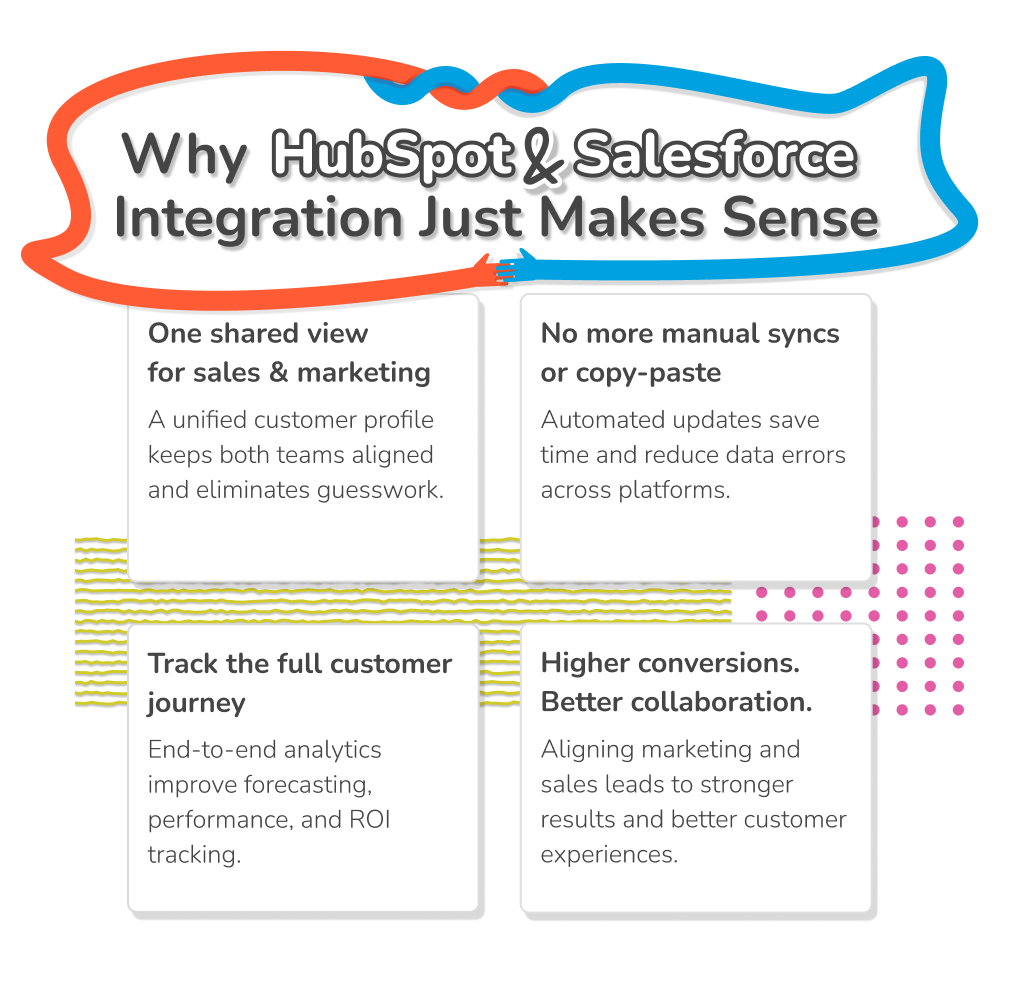
Think of integration as a translator between two teams that speak different dialects of the same language. When you sync HubSpot with Salesforce, you give both marketing and sales a single, cohesive view of each lead or customer. That means no-one is left guessing if a lead has been contacted or if they’re still stuck in nurturing limbo.
Redundant tasks like manual data entry or copy-pasting updates between platforms waste time and energy. A HubSpot Salesforce integration takes care of that with automated data syncing. You reduce the risk of error, free up time, and give your teams the ability to actually focus on what they do best: building relationships, closing deals, and crafting campaigns that resonate.
Closed-loop reporting needs agreed lifecycle stages, record matching and consistent campaign/deal attribution. Connecting the systems makes that data exchange possible; it does not automatically create a reconciled revenue dashboard. Define the report grain and validate source totals before relying on forecasts.
Shared information can help teams coordinate follow-up and identify handoff problems. Revenue and conversion outcomes depend on demand, qualification, execution and measurement; a connector alone does not guarantee an increase.
On top of all that you’re not left struggling with the debate of “HubSpot CRM vs Salesforce CRM” – you get to mix and match the best features of both solutions.
So, how does HubSpot integrate with Salesforce to drive better business results? We’ll give you a rundown of how to integrate HubSpot with Salesforce (from cleaning up your data, to bridging gaps) in a moment. First, let’s cover what happens when you establish the connection.
If you’ve ever tried to keep two complex systems “talking” to each other, you know it’s not always as easy as flipping a switch. But with the right setup, the HubSpot SFDC integration makes Salesforce and HubSpot feel like two halves of a well-oiled machine. Here’s how the actual functionality plays out behind the scenes:
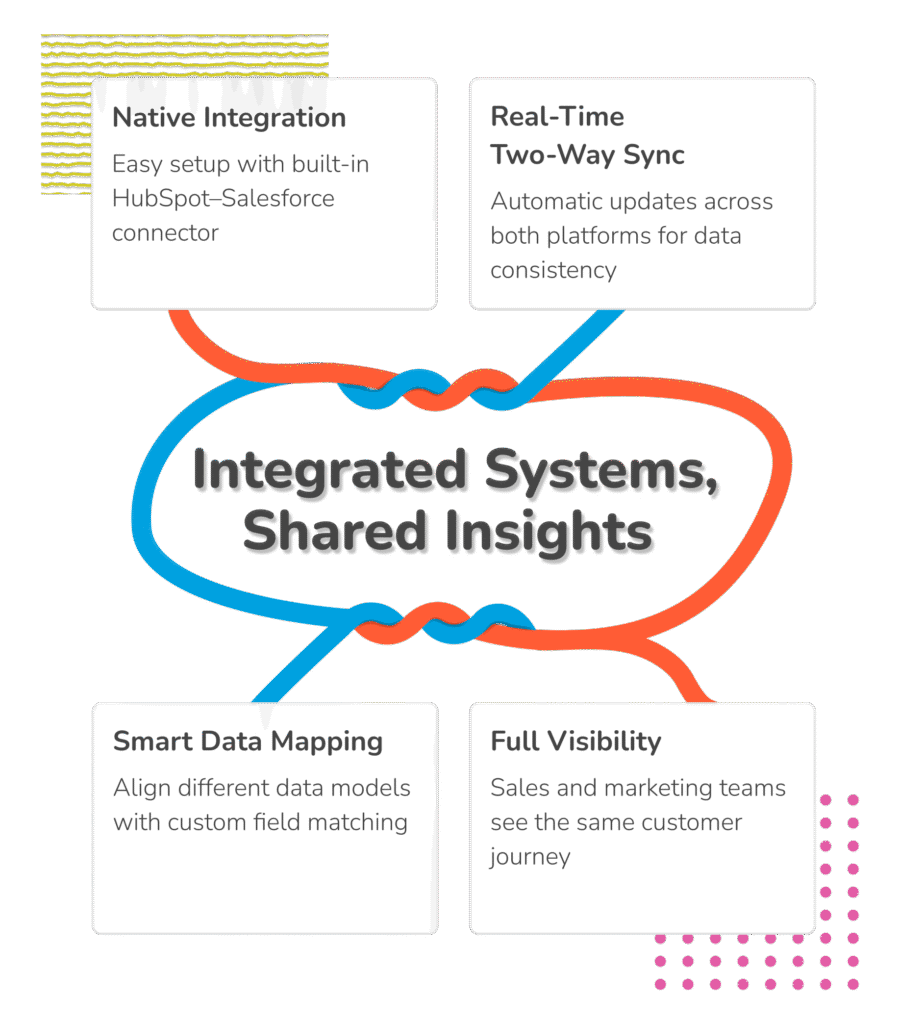
HubSpot offers a native Salesforce connector for eligible subscriptions. Before installing it, verify the HubSpot plan, Salesforce edition/API access, connected-user permissions and objects you need. Native sync can cover many shared-CRM workflows; custom logic is a separate design decision when the supported connector does not meet the requirement.
The native connector uses supported record changes and activities to trigger synchronization, subject to inclusion rules, mappings, permissions and API limits. HubSpot also checks for changes approximately every 15 minutes. This is not a guarantee that every field update appears instantly: distinguish an initial import from ongoing sync and verify the actual records and errors in Sync Health.
This is where it gets a little more technical, but stay with us. HubSpot is contact-centric, while Salesforce works with leads, contacts, accounts, and opportunities. The difference in structure matters when you’re setting up mappings. But the good news? With the right configuration, it’s easy to make the two systems speak the same language.
When Salesforce users can see HubSpot activity (emails, form submissions, workflows) and HubSpot users can track deal progress and lifecycle stages, both sides win. This transparency enhances decision-making, timing, and trust between departments.
So, can HubSpot integrate with Salesforce? Yes. Should you be using that fact to your advantage? Also yes. But you need to prepare first. Although you can integrate HubSpot and Salesforce without a lot of technical headaches, using connectors, you still have a little work to do.
For most companies, HubSpot Salesforce integration best practices start with three things: data preparation, team readiness, and proper planning.
You aren’t just connecting software, you’re linking data. That means preparing the data in advance. Think of this like cleaning out your closet before installing custom shelving. You don’t want to build a beautiful system only to fill it with junk.
Duplicate emails, missing values and documents with weird formatting all need addressing. A HubSpot Salesforce integration only works as well as the data it’s working with.
Here’s where people often get tripped up: HubSpot and Salesforce don’t think about data the same way. HubSpot loves its contacts and companies. Salesforce has leads, contacts, accounts, opportunities, all nested in layers like CRM nesting dolls. Your teams need to sit down and decide exactly what connects to what.
Illustrative mapping and recovery example — synthetic planning example, not a customer result. Suppose both systems already contain an associated company/account record and an administrator has created compatible custom dropdown fields: HubSpot company service_region and Salesforce Account Service_Region__c. The permitted values in this example are “North America” and “Europe.”
Mapping contract: the agreed HubSpot property owns this field; the Salesforce field is the destination under the supported mapping rule selected in this sandbox. Only eligible records enter the sync. The business owner approves the allowed values, while the integration owner checks errors. Document the actual field types and behavior rather than treating these illustrative names as default product fields.
Failure test: in the sandbox only, add a test-only source dropdown option while leaving the target picklist unchanged, then trigger the eligible test record to sync. This deliberately creates a value mismatch without weakening production validation. Confirm the mapping/validation error and that the existing target value is not silently replaced. Correct the source or the approved value mapping, retry the eligible record, and check the value in both systems and the cleared error. Then test an excluded record and a conflicting target edit to confirm inclusion and ownership rules. Never bypass production validation globally to clear one sync error.
Source checked 30 October 2026: HubSpot connector requirements. Recheck the selected edition and account configuration before implementation.
Source checked 30 October 2026: HubSpot import and sync triggers. Recheck the selected edition and account configuration before implementation.
Use a dedicated Salesforce connected user where your licensing and security policy permit it, so integration changes can be distinguished from human edits. Assign the permissions currently required by HubSpot for the objects and features you will sync, and review that scope with the Salesforce administrator. Do not assume that any ordinary user, or an indiscriminately cloned administrator profile, is a suitable long-term integration identity.
You don’t need to sync everything. Use inclusion lists. Maybe just sync MQLs, or only customers from the last 6 months. Clean data is great, but relevant data is even better. Decide exactly what you need to sync between HubSpot and Salesforce, and avoid going over the top.
Combining HubSpot with Salesforce is about connecting people as much as it’s about connecting systems. Talk to your teams. Let them know what’s happening. Change, even good change, can feel intimidating. Bring folks into the process early and train them well. A little empathy goes a long way.
Yes, it’s possible to set up the HubSpot to salesforce integration without getting overwhelmed. But you do need a roadmap. Here’s your no-nonsense, step-by-step guide to getting it done right the first time (straight from the experts at RA).
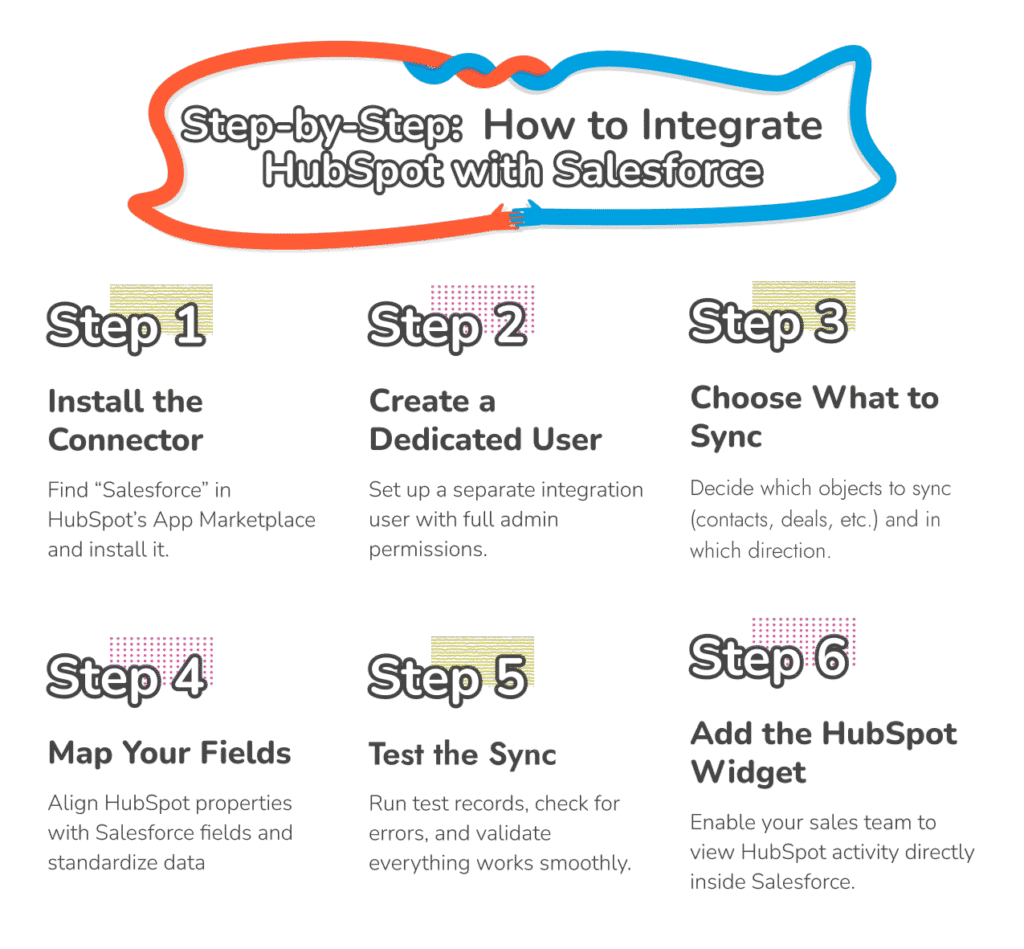

Install the HubSpot Salesforce Connector
Check the current HubSpot–Salesforce prerequisites before installation, including an eligible HubSpot Professional/Enterprise subscription, Salesforce edition/API access and connected-user permissions. Install the Salesforce integration from HubSpot Marketplace using the intended production or supported sandbox environment. Authorize only the approved account and review the configuration before allowing records into the sync.
HubSpot documents Account Access in HubSpot and a Salesforce administrator with the required API, setup, object and application permissions; exact requirements depend on the features used. Have the administrator verify the current vendor checklist rather than relying on a generic “admin on both platforms” instruction.
Keep an eye on pop-ups or permission windows during setup. They’re easy to miss but critical to successful integration.

Authorize a Dedicated Integration User
Select the approved Salesforce connected user and document its owner, permissions, licensing and credential lifecycle. A dedicated integration identity helps distinguish automated changes and avoids making the connection depend on an employee’s personal account.
Plus, all changes made by HubSpot will appear as edits made by the integration user. That means if your integration user is an existing user, it’s difficult to distinguish what the user change, and what HubSpot itself changed in Salesforce.
Review required Salesforce permissions against the current HubSpot checklist and your security policy. Test which approved objects and fields the connected user can read and update; do not copy broad permissions without understanding their scope.

Choose What to Sync, and Which Way
This is where you start making the HubSpot and Salesforce integration work for you. HubSpot gives you granular control over what syncs, like contacts, companies, deals, tasks, and which direction the data flows.
You can choose:

One-way syncs (e.g., HubSpot → Salesforce only)

Two-way syncs for full alignment
Be intentional. If Salesforce is your system of record for deals, don’t overwrite it with HubSpot data unless you mean to.

Map Your Fields
HubSpot and Salesforce use different data models, so mapping fields is where things can get tricky. You’ll need to match HubSpot properties (like lifecycle stage, contact owner, lead score) to Salesforce fields (like status, owner, custom fields).
Double-check:

That fields are named clearly
Data types match (e.g., date vs. string)
Picklists are standardized to avoid mismatches
Salesforce picklist values like “Enterprise” and HubSpot dropdowns like “enterprise” won’t sync unless they match exactly.

Test the Sync
Now test the sync before opening the floodgates. Create sample records in both platforms. Do the changes reflect properly? Are any fields being dropped or overwritten?
This is your QA stage. Look for:
Duplicate records
Unmapped fields
Permission errors
Delayed sync times
Fix any issues now, before live data starts flowing.

Install the HubSpot Widget in Salesforce
If sales users need HubSpot context inside Salesforce, configure the current HubSpot Embed component and its documented permissions. HubSpot’s legacy Visualforce module is being deprecated; check the supported Embed guidance before modifying existing page layouts.
Verify that the intended Salesforce users can see the correct record context. Viewing embedded information is separate from configuring which records and fields synchronize.
Make Your Integration Seamless
Ask Routine Automation to review the affected objects, field ownership, inclusion rules and sync errors before changing a live integration. Agree the diagnostic scope, access requirements and verification steps first.
You have your HubSpot Salesforce integration guide, now you need to make sure everything is going to work smoothly. This is where a lot of people struggle when integrating HubSpot with Salesforce. Here’s how you can avoid unnecessary issues.
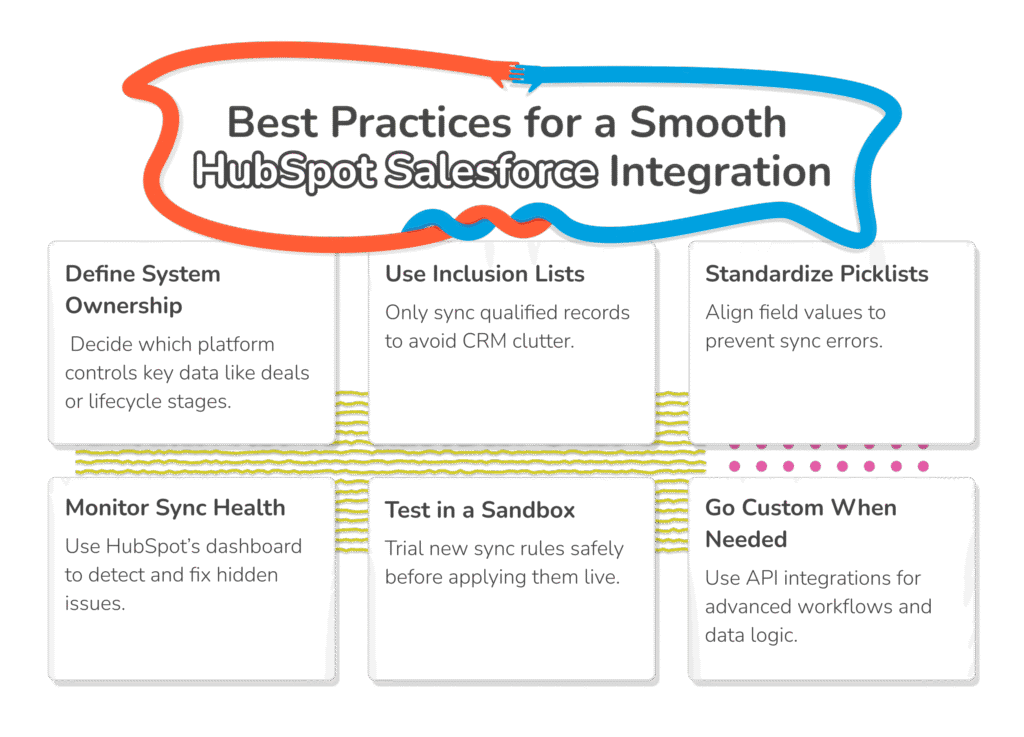
This is one of the most important HubSpot Salesforce integration best practices to follow. Decide which system owns what. For example, maybe Salesforce is your source of truth for deal stages, but HubSpot leads the charge on contact lifecycle stages. Get clarity, then stick to it.
Don’t flood Salesforce with every form fill and eBook download. Use inclusion lists to narrow down who gets synced with the Salesforce HubSpot integration API. This keeps your CRM clean and focused on people who actually matter to your sales team.
You might think “North America” and “NA” are the same. Your HubSpot and Salesforce tools don’t think the same way. Mismatched field values cause sync errors, and the cleanup is a pain. Align picklists now to avoid chaos later.
Review Sync Health in the Salesforce connected-app settings for permission, mapping and validation errors. Assign an owner to investigate failures and verify the corrected record in both systems; a green connection alone does not prove that every business-critical field is correct.
Got a new sync rule? A new field? Test it in a sandbox before you roll it out live. This one step can save you from a flood of panicked Slack messages on launch day. Testing before rolling out can also save you money on hiring extra support when breaks happen.
Need more than the out-of-the-box setup? That’s where things get interesting. Our team at RA builds custom API-based integrations that handle complex sync logic, multi-object workflows, and even real-time lead scoring. If you’re exploring external tools or workflows beyond native functionality, check out our insights on Salesforce third-party integration.
Even with the best intentions, and a strong plan, HubSpot Salesforce integration challenges can arise. You won’t be the first or last company to encounter a problem at some point. The best strategy is to be prepared for the potential problems in advance.
Here’s a quick rundown of some common HubSpot Salesforce integration issues, and how to address them (without losing your cool).
Duplicate records are a common problem when syncing data between HubSpot and Salesforce, leading to confusion and inefficiencies. To mitigate this:
Audit your data: Regularly check for and merge duplicate entries.
Set clear rules: Define criteria for record creation to prevent duplicates.
Use unique identifiers: Implement unique fields to distinguish records.
Permission issues are a major issue for HubSpot Salesforce integrations, because they can prevent data from syncing correctly. Ensure that:
Integration users have appropriate access: Assign necessary permissions to users handling the integration.
Regular reviews are conducted: Periodically review user permissions to maintain proper access levels.
In a HubSpot and Salesforce integration, validation rules set by Salesforce can sometimes stop data from transferring properly. To address this:
Review and adjust validation rules: Ensure they align with integration requirements.
Implement exception handling: Create exceptions for integration processes where necessary.
We mentioned this before. Inconsistent picklist values between HubSpot and Salesforce can cause sync issues. To resolve this:
Standardize picklist values: Ensure both platforms use the same values.
Implement mapping strategies: Map differing values appropriately between systems.
Sometimes, related records like deals or tasks fail to sync due to unsynced parent records. To fix this:
Ensure parent records are synced first: Sync contacts or companies before associated records.
Monitor sync dependencies: Be aware of record relationships and their impact on syncing.
Remember, if you encounter any additional issues from your HubSpot integration with Salesforce, an integration partner like Routine Automation is always around to help you leap the hurdles.
Even with handy connectors, establishing a strong integration can be tough. After all, you’re not just connecting two platforms. You’re aligning your business processes for optimal performance. RA helps you make the most out of your Salesforce HubSpot connection.
We have extensive experience working with, optimizing, and fine-tuning both platforms. Our teams know how to navigate the components of each system, stitch disconnected processes together seamlessly, and avoid common issues. More importantly, we don’t just connect HubSpot to Salesforce. We create customized strategies, tailored to you.
Every business is unique, which is why we offer tailored integration solutions that align with your specific needs and objectives. Once we’ve bridged the gaps between your tools, we stick with you.
Our team is an end-to-end partner for your organization. From initial consultation, to post-integration support, we’re with you every step of the way. We don’t just integrate HubSpot and Salesforce, we make sure your team is ready to make the most of your aligned tech stack.
When selecting an integration partner, ask for a scope-matched implementation example, a field-ownership specification, failure/recovery checks and a clear support handover. A firm-wide review score or project count does not establish the outcome of your own HubSpot–Salesforce integration.
Custom Integrations with Real Results
Get a Salesforce-HubSpot integration built around your goals. Partner with Routine Automation to streamline, scale, and succeed.
A HubSpot integration with Salesforce isn’t just a process of syncing data between platforms. It’s about aligning your teams. Once you get everything synced up correctly, your whole workflow changes. Your teams stop working in silos. Your reports actually reflect what’s happening. Most importantly, your strategies start to feel a lot more strategic.
If you’re looking for a smarter way to run your business – one where marketing and sales work together seamlessly, and where insights aren’t buried in different systems, it’s time to bridge the gap.
But making the leap isn’t always plug and play. That’s where we come in.
RA helps companies across industries build integrations that fit – ones that are stable, scalable, and aligned to how your people actually work. From planning to implementation to long-term support, we bring experience, empathy, and precision.
So if you’re ready to stop wrangling disconnected tools and start building a unified platform that supports every stage of your customer lifecycle, let’s talk. Our team is here to help you turn your CRM stack into a revenue-driving machine.
Yes, and it does it well. The HubSpot Salesforce integration process uses an official, native connector. That means no custom coding is required to get started. Once set up, your sales and marketing data flow automatically across both platforms.
You’ll install the HubSpot-Salesforce connector first. Then, authorize an integration user, map your fields, and decide what syncs where (carefully). If you want to create custom workflows, it’s a good idea to work with an integration partner, like RA.
A Salesforce and HubSpot integration gives you a connected view of your leads, deals, and customer interactions. Overall, it’s about connecting the dots to help you make smarter decisions, more cohesive campaigns, and simplify links between marketing sales.
Synchronization depends on supported triggers, mapping rules and account conditions. HubSpot also checks for changes approximately every 15 minutes; queues and API constraints can affect completion. For a delayed record, inspect Sync Health, eligibility and field ownership before retrying.
Multiple HubSpot accounts can connect to one Salesforce environment, with a separate integration installed for each HubSpot account; each HubSpot account connects to one Salesforce instance. Review automatic-contact-creation and matching settings carefully to avoid records being created across accounts unintentionally.