 Suomi
 Français
 Deutsch
 Polski

Build a HubSpot System That Actually Delivers Leads
Ready to make HubSpot work for your business? Routine Automation designs, implements, and optimizes lead generation systems that connect every step from first click to closed deal.


If your marketing team is still piecing together spreadsheets, web forms, and scattered email threads, you’re leaving leads on the table – and probably missing the best ones. Using HubSpot for lead generation changes that. You just need to know how to use it.
In this guide, we’ll unpack exactly how to use HubSpot for lead generation to capture more high-quality prospects, nurture them automatically, and hand them to sales when they’re ready to buy.
Along the way, our team at Routine Automation (RA) will share proven HubSpot lead generation strategies we’ve built for B2B companies that needed more than “off-the-shelf” tools. From HubSpot CRM lead management to campaign optimization, here’s how our experts turn interest into revenue.
HubSpot can capture inquiries, support follow-up and make handoffs visible. It does not create buyer demand by itself: an offer, a relevant acquisition channel and a definition of a sales-ready inquiry still matter. A submitted form is a contact signal, not automatically a qualified opportunity.
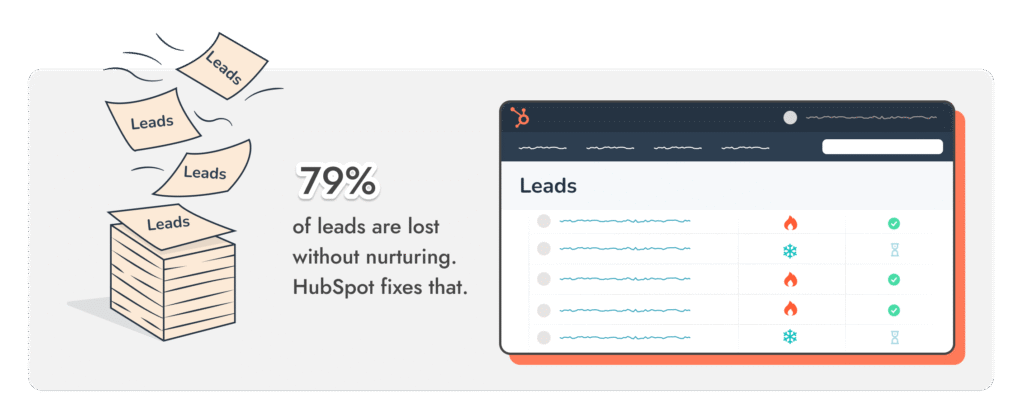
This is where HubSpot lead generation tools shine. Whether you’re running targeted LinkedIn ads, creating SEO-driven content, or hosting live webinars, HubSpot doesn’t just capture the lead, it logs them into a single HubSpot CRM strategy for lead generation that sales and marketing can actually use to build relationships.
Segmentation, scoring and automation depend on your subscription, data and configuration. Agree which signals indicate fit and intent before using them to route a contact to sales.
This guide covers forms and landing pages, LinkedIn capture, follow-up workflows and reporting from accepted inquiry to sales outcome.
Plus, we’ll answer the big question we hear from clients all the time: how does HubSpot generate leads at scale without making your team feel like robots?
Lead generation breaks down in small, frustrating ways. A form tool that doesn’t pass data to your CRM. A campaign report that arrives two weeks after it’s useful. An email that should have gone out yesterday but didn’t because no one noticed the spreadsheet was out of date. These little gaps add up – and so do the missed deals.
With just a handful of HubSpot lead generation tools working together, the whole process starts to click. The best part about HubSpot? Everything’s under one roof – your forms, landing pages, live chat, email follow-ups, and CRM all talking to each other instead of working in silos.
A connected form can create or update a CRM record. Website and advertising activity depend on tracking setup, consent and the available integration; do not assume every interaction is captured.
Agree a response target with the team that owns new inquiries. A configured notification or task can support follow-up, but automation does not guarantee response time or qualification.
Keep the contact/company record, the work a salesperson is doing and the deal opportunity distinct. The Leads object and advanced automation have subscription and seat requirements; do not treat every captured contact as an active sales lead.
It’s a HubSpot lead generation strategy that adapts with the deal, nudging things forward without losing sight of the bigger picture.
The real strength of HubSpot lead generation tools isn’t that they exist, it’s how they connect. One action triggers the next without anyone having to copy a file, update a spreadsheet, or remember who to email.
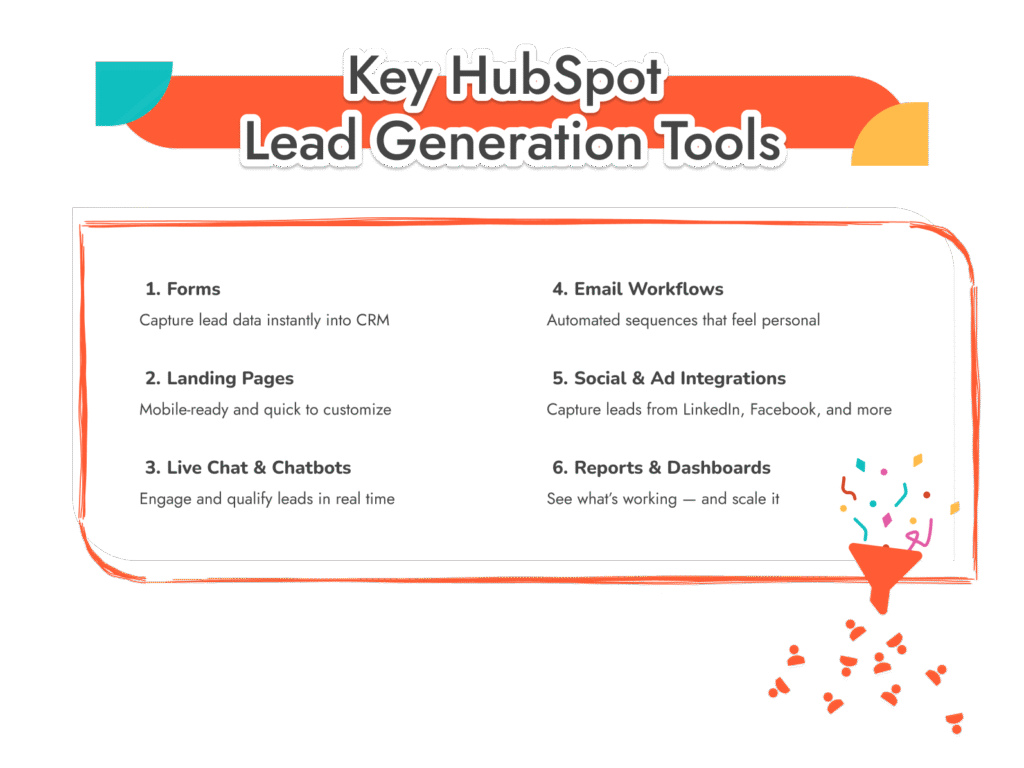

Forms: Simple enough that people actually fill them out, smart enough to ask better questions the second time they visit. Every answer drops straight into HubSpot CRM lead management without delay.

Landing Pages: Quick to spin up, look great on a phone, and easy to tweak. A single headline swap can lift results, and HubSpot makes those tests painless.

Live Chat & Chatbots: No clunky scripts. They can qualify in seconds or ping sales at just the right time, only showing where intent is already high.

Marketing workflows can send permitted follow-up and update CRM records using configured enrollment and stop rules. Sales sequences are a separate sales-engagement tool with different access and enrollment requirements.

Supported ad integrations can capture eligible form submissions after authorization and field mapping. Audience updates depend on the connection, data permissions and consent; they are not guaranteed for every social interaction.

Reports & Dashboards: Clear enough for quick checks, deep enough to show exactly which campaigns, ads, or landing pages brought in the most revenue.
When all of these tools sync up, B2B lead generation with HubSpot starts running like an actual system – simple, and seamless.
Knowing the features is one thing. Turning them into a steady flow of leads is something else entirely. Plenty of teams sign up for HubSpot, set up a form or two, and then wonder why the pipeline isn’t filling. The problem isn’t the software; it’s the way the pieces are (or aren’t) working together.
A strong HubSpot lead generation strategy stacks in layers. First, make it simple for someone to show interest – a short form, a resource worth grabbing, or a well-timed chat pop-up. Then link those actions to workflows that fire back right away. After that, keep the winners, cut the rest.
The fastest way to improve HubSpot lead generation isn’t with a huge campaign or an expensive ad budget. It’s usually by fixing the first touchpoint – the form or page where someone decides whether to give you their details. Small changes here can have a big impact.
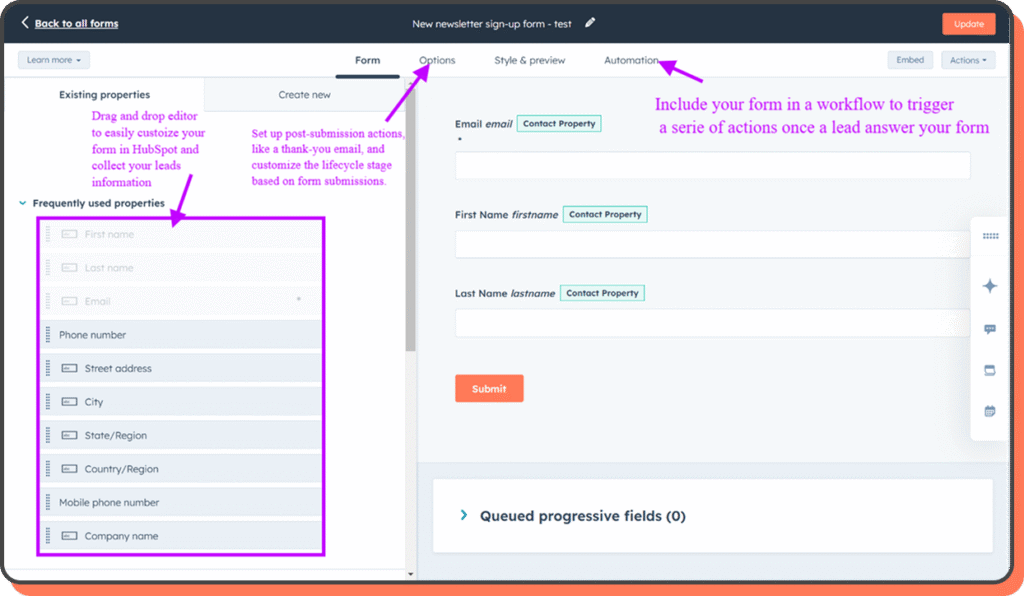
Forms are often the unsung heroes of HubSpot lead gen. They do the simple work of turning visitors into leads. A few rules tend to separate the good ones from the forgettable:

Balance completion and qualification: ask for the information needed to route and assess this offer. Fewer fields may reduce friction, while a relevant qualifier can prevent low-fit requests. Test accepted inquiry quality as well as submission count; progressive profiling depends on available form capabilities.
Smart placement: Forms hidden at the bottom of a page or buried in a menu won’t pull their weight. Put them where intent is highest – on a resource download, a pricing page, or right after a case study.
Connect accepted submissions to the appropriate confirmation, owner notification or task. Marketing workflows and sales sequences are different tools; check availability, enrollment rules and permissions before automating outreach.
Used well, forms are one of the most valuable HubSpot lead generation tools you have.
Get Your HubSpot Set Up Right From Day One
Our team at Routine Automation designs, builds, and optimizes HubSpot forms and landing pages tailored to your audience – so every visitor has a clear path to becoming a lead.
A landing page is more than a static ad. When done right, it’s a complete conversation in one screen – the offer, the reason to act, and what happens next.
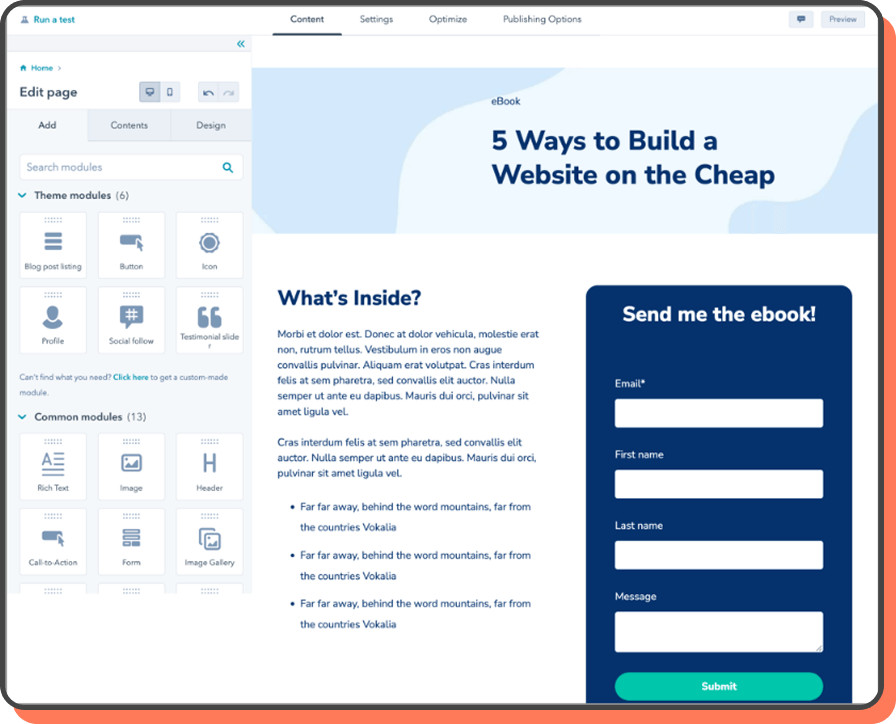
Value-driven headline: Spell out the benefit in plain terms.
One goal per page: If it’s a free trial, stick to that – skip the extra push.
Trust signals: Add a testimonial, a quick stat, or proof others have taken the leap.
Mobile-ready and testable: HubSpot’s editor makes headline, image, and CTA tests easy.
Even a small tweak can shift how many people click through.
When forms and landing pages work together, HubSpot lead generation optimization becomes far easier. The goal is simple, make it quick and low-risk for someone to say “yes” to the first step.
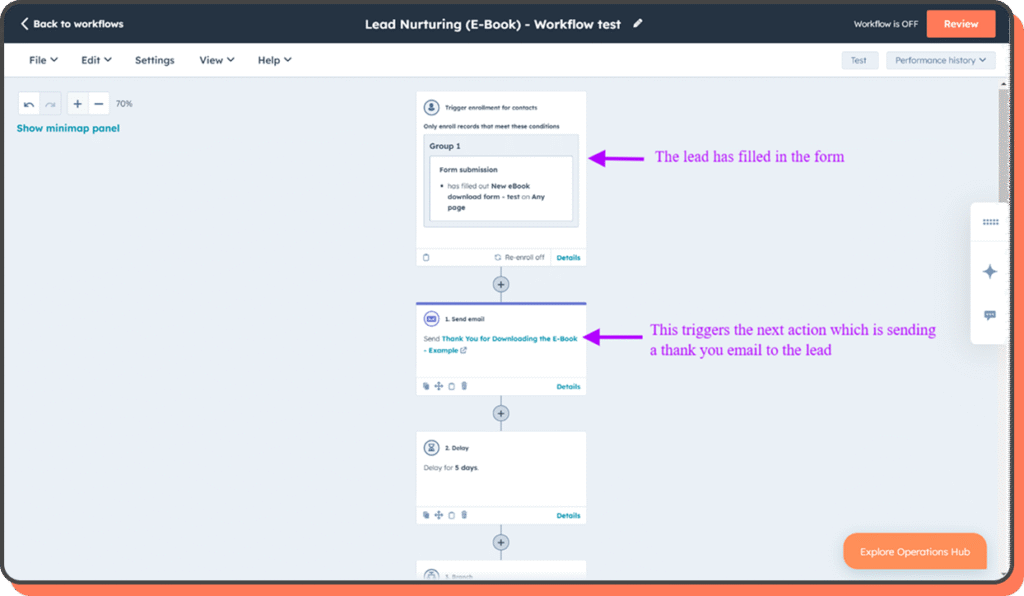
Getting a lead is only the start. Most won’t be ready to buy right away – especially in B2B. The follow-up process is where deals are won or lost, and HubSpot lead generation strategies work best when nurturing is built in from the start.
Blasting the same email to everyone? Doesn’t work. Won’t work. The message has to fit the person and the moment, and you can still make that happen automatically.
Segment deeply: Sort lists by what people do – the pages they’ve read, the downloads they’ve grabbed, how often they show up. A demo request is a different signal than a quick ebook download.
Use supported workflow enrollment and stop conditions. Sales sequence enrollment has separate product/seat requirements; a content click should not automatically justify unsolicited sales outreach.
Mix education with soft asks: Swap between useful tips, case studies, and light calls to action. A lead checking the pricing page twice in a week might get a comparison guide; a new subscriber gets a welcome series with easy, helpful wins.
Keep relevant permitted activity and the assigned next action on the record so its owner has context. Record a rejection or acceptance reason rather than assuming engagement means readiness to buy.
Some leads are warm for only a few minutes. They’re on the site, they have a question, they’re curious enough to ask, and if no one answers, the moment’s gone. That’s where HubSpot’s live chat and chatbot features make all the difference in HubSpot for lead generation.
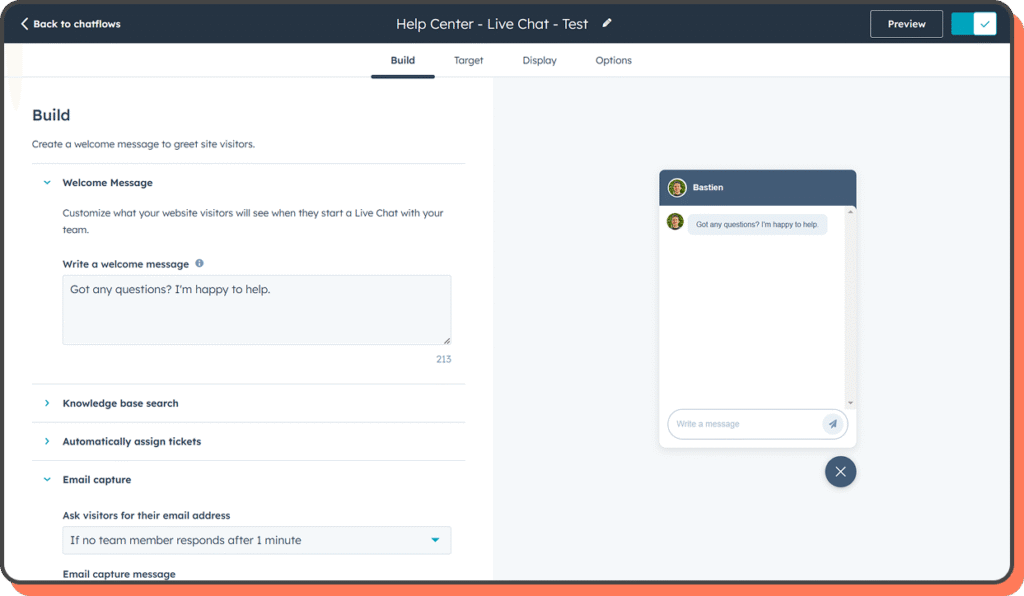
Live chat is about speed and connection. A quick answer can keep someone on the page long enough to book a call or request a demo. Chatbots add scale to that process, qualifying leads when no one’s at the keyboard. The best setups use both: a bot to greet, gather basic info, and route the right people to a human.
Targeted visibility: Chat doesn’t need to be everywhere. Keep it on high-intent pages – pricing, demos, case studies.
Lead qualification on the fly: Two or three quick questions can uncover budget, timing, and needs in seconds, with details dropped right into HubSpot CRM lead management.
Seamless hand-off to sales: When it’s time, the right rep gets an alert and the full chat history.
Real-time engagement works because it meets the lead at their peak interest. HubSpot’s chat tools keep that conversation tied to the contact record, giving sales context without another round of “so, what brings you here today?”
Social media isn’t just for awareness anymore. In B2B, it’s often where the first real connection happens. The trick is keeping that momentum. That’s where HubSpot lead generation tools come in, turning a quick click or short exchange into something the sales team can actually work with.
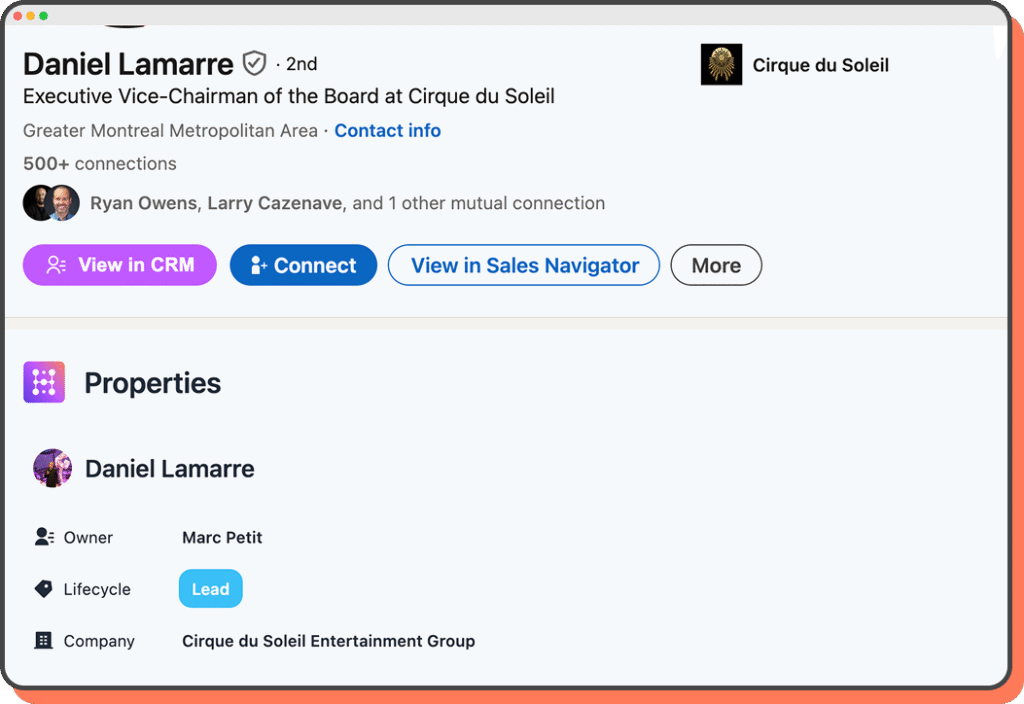
Use LinkedIn tools for distinct jobs: Lead Gen Forms capture an ad response; Sales Navigator supports prospect research; optional CRM Sync has separate setup and writeback behavior. A connection alone does not make every LinkedIn interaction a CRM event.
The Sales Navigator integration displays insights on HubSpot records and does not itself import LinkedIn contacts. Current documentation requires an assigned Sales Hub Professional or Enterprise seat and LinkedIn Sales Navigator Advanced Plus. CRM Sync is a separate option: check supported data and writeback before promising activity synchronization.
See HubSpot’s Sales Navigator integration requirements before configuring access. For ad capture, verify the separate Lead Gen Forms connection and map one test submission through to its owner.
Not every good lead is on LinkedIn. Some find you through a Facebook ad, or swipe past an Instagram story and click through out of curiosity. With HubSpot, those contacts can land directly in HubSpot CRM lead management, ready for an automated welcome or a retargeting ad that actually matches their interest. The better setups:

Retargeting lists update themselves based on what someone reads or watches.
Ad messages match the lead’s stage, not just a generic offer.
Segmentation pushes your best-fit prospects to the front of the line.
Verify captured fields, campaign identifiers and associations against a sample source submission before relying on a channel report. Missing consent, unsupported fields or failed syncs can leave the journey incomplete.
Turn Social Clicks into Sales Conversations
Routine Automation can help configure supported lead-capture integrations, consent-aware field mapping and owner routing. Scope the channels and required subscription before choosing a workflow.
Numbers on their own don’t change anything. It’s how you read them, and what you do next, that makes the difference in HubSpot lead generation.
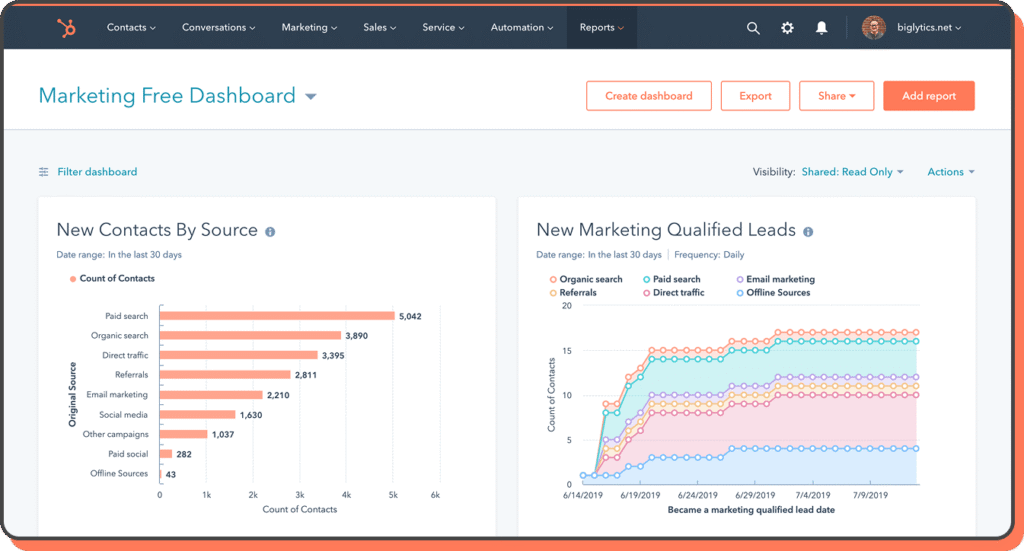
HubSpot reporting and dashboards aren’t about dumping data into a chart. It’s about connecting the dots so you know which campaigns are actually worth the money. Sometimes that means finding the form that pulls twice as many leads as the rest. Other times, it’s spotting the page that gets plenty of clicks but almost no conversions.
You might track:

A form that outperforms the others even though it’s not the prettiest.
A landing page that brings leads in fast but stalls before they reach sales.
An email that gets fewer opens but more replies – which is worth more in the long run.
Report on accepted submissions, sales-accepted inquiries and opportunities separately. Use the same source, date basis and qualification definitions across teams. Inspect rejected or unassigned records before attributing pipeline changes to a campaign.
Illustrative workflow, not a client result: consider a B2B team receiving demo requests and guide downloads through different channels. These steps show a possible qualification process; no measured sales outcome is claimed.
For this example, sales accepts requests about a CRM implementation or integration from a company in its supported market, with a named business contact and enough detail to arrange a useful discussion. A guide download remains a nurture signal. Associate the person with the right company and retain source and consent context before changing lifecycle status.
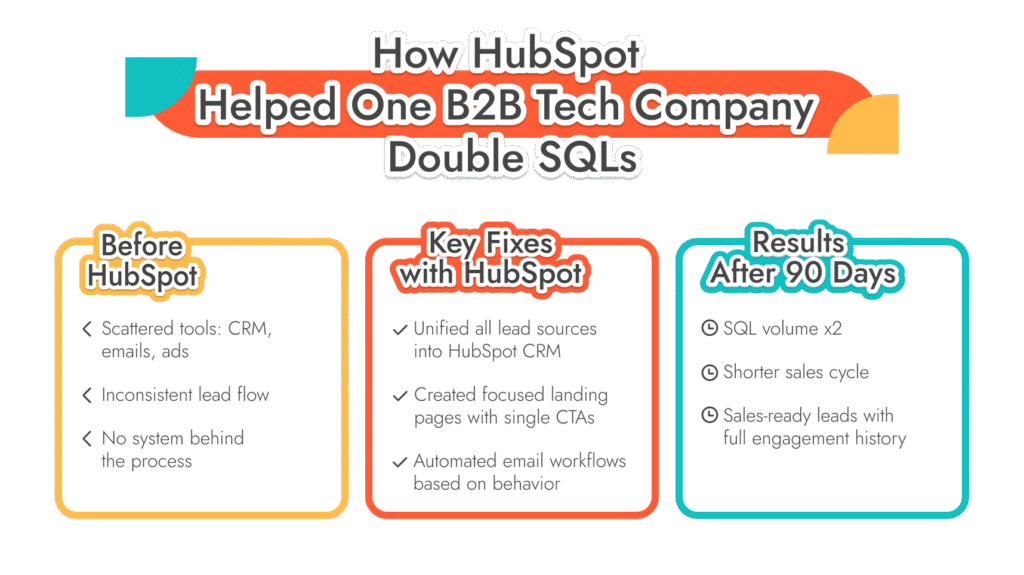
For this illustrative team, configure the following handoff:
Capture source and offer, validate the submission and associate the contact with the right company. Keep a guide download distinct from a request for a buying conversation.
Apply agreed fit and intent criteria. Route an eligible demo request to one team or owner with a response target; hold incomplete or low-fit requests for review with a reason.
Record sales acceptance or rejection, create an opportunity only when the sales process calls for one, and change follow-up when the outcome changes. Report submissions, accepted inquiries and pipeline separately.
After routing, check that a test request reaches the right owner once, excludes duplicates or unsupported territories, and stops inappropriate follow-up. Track owner response and sales acceptance separately from form submission. This is a configuration pattern, not evidence of SQL growth or a shorter sales cycle.
Review failures as well as successes: unassigned requests, duplicates, missing company associations and rejected inquiries can expose a problem that a higher submission count hides.
The work depends on the starting point: data quality, the channels being connected, qualification rules and the people who own follow-up. A useful implementation checks that accepted inquiries reach the right owner, that follow-up stops when it should, and that reporting distinguishes submissions from sales acceptance. Agree the scope and test those handoffs before setting a rollout timeline.
That’s where Routine Automation comes in. Our team doesn’t just “install” HubSpot. We design the whole system around your process, from the first click on a form to the moment a deal is closed. We specialize in HubSpot lead generation optimization, not just initial lead gen.
A typical engagement might include:
For an actual workflow configuration example, see HubSpot invitation and response automation. It demonstrates operational workflows, not B2B SQL growth.
Custom form and landing page builds optimized for your audience.
Workflows that move leads automatically from marketing to sales.
Integrations with third-party tools so no data is trapped in one place.
Reporting that makes sense to both marketing and sales, not just one team.
We also help companies get more from HubSpot tools – connecting campaigns, ads, and content to lead tracking so every click is accounted for. That way, you know exactly what’s working, and you’re not guessing when to adjust.
For businesses serious about HubSpot B2B lead generation, having experts on your side means fewer false starts, fewer missed opportunities, and a shorter path to results.
It’s just a set of steps that run on their own. Someone downloads something, an email goes out. Maybe a follow-up two days later. If they click a link? HubSpot can change the next step. It’s all about reacting to what they do.
Depends who you ask. Some swear by content. Others push ads or cold outreach. In HubSpot lead gen, it’s usually a mix — a blog, a form, a quick email, maybe a LinkedIn message.
Everything’s in one place. The capture tools. The follow-ups. The reports. You can see what worked without digging through five tabs.
Something at every stage. An offer that gets attention. A next step that’s clear. Messages that actually sound like they’re written for people, not just leads in a list.
It stops the juggling act. Capture, nurture, track — all in one spot. That’s why how to generate leads with HubSpot feels more organized without extra effort.