 Suomi
Suomi Français
 Deutsch
 Polski
Talk Through Your Salesforce Build
Book a focused session with Routine Automation to review your systems, risks, data flows, and the best route for a custom Salesforce setup.



Most companies don’t really use Salesforce alone. They use Salesforce plus twelve other, equally important things. That’s why Salesforce integration services are so important. They’re how you connect your home for customer relationships to the rest of the systems necessary for running a business. Without them, you’ve got fragmentation everywhere.
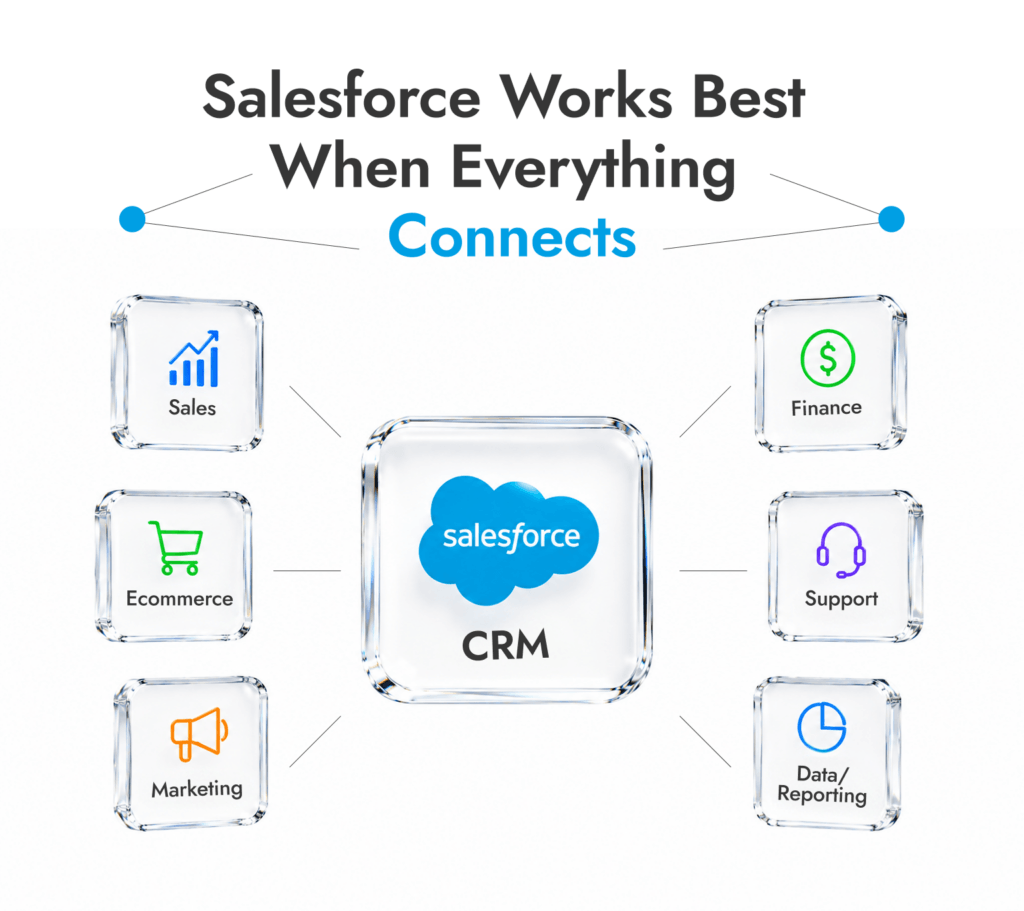
Sales has one version of the account. Finance has another. Ecommerce has the order history. Support has the angry ticket. Marketing has campaign behaviour sitting somewhere else entirely. The best Salesforce integration services pull those pieces together.
The need is bigger than a few messy CRMs, too. Salesforce says AppExchange now has more than 7,000 apps and certified consulting organizations, with over 14 million installs and 91% of Salesforce customers using at least one AppExchange app. In other words, most Salesforce teams are already extending the platform somehow. They’re just not always doing it cleanly.
Salesforce integration services connect Salesforce to the systems where the rest of the business actually happens.
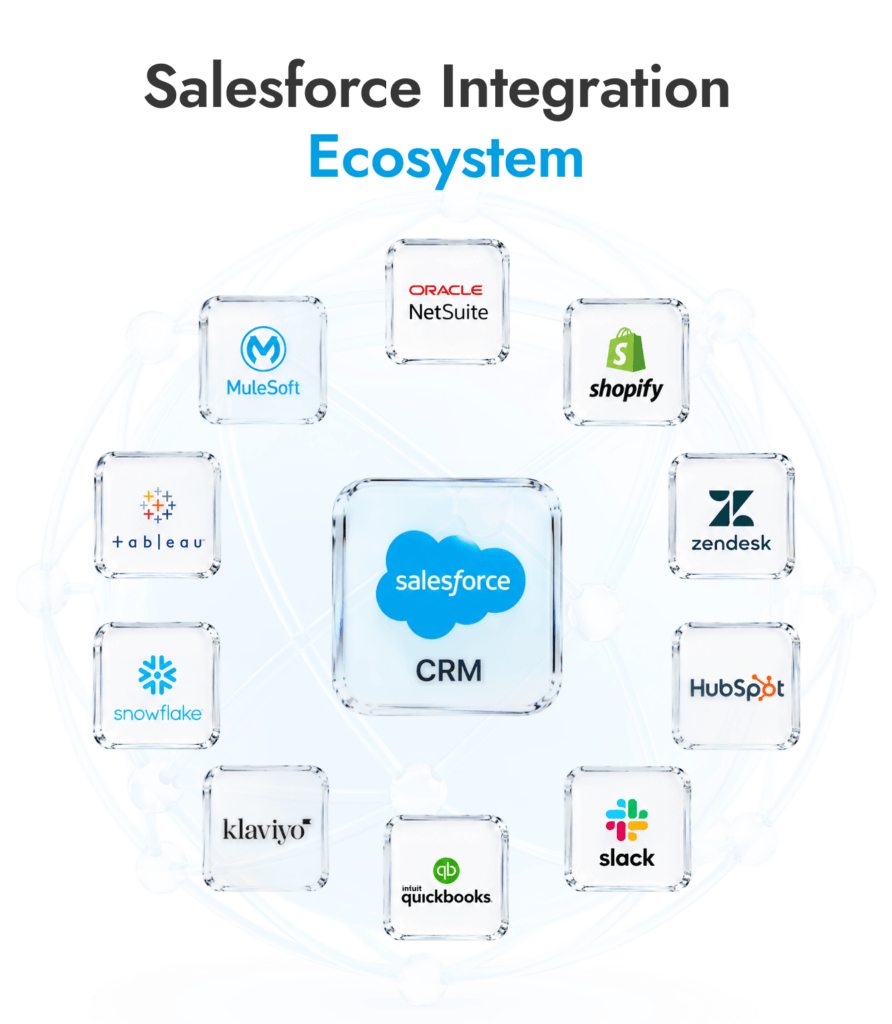
That might mean NetSuite for invoices, Shopify for orders, Zendesk for tickets, Klaviyo for campaigns, Snowflake for reporting, or some old internal portal that still owns half the customer data. The problem isn’t that Salesforce can’t hold information. The problem is that the wrong information gets copied in late, copied twice, or copied with the meaning missing.
A lead form sync is the easy version. The harder version is when an order changes status, stock updates in the warehouse, finance marks an invoice overdue, and support needs all of that context before replying to the customer. That’s where a Salesforce integration consultant or expert becomes so useful. They help with the extra work.
An integration partner assists with consolidation, propagation, and federation, as well as setting up the actual connection. That’s important, because integrations come with specific requirements around them. A sales team may need payment status written into Salesforce. A service team may only need to view order history.
A data team may want Salesforce activity pushed into a warehouse, cleaned there, then sent back as health scores or segments.
For ecommerce teams, Salesforce cloud integration services get messy fast. Agentforce Commerce now sits across ecommerce, POS, and order management, so customer, product, basket, payment, stock, fulfilment, and service data all need rules.
With Salesforce integration companies, you’re not just paying someone to wire a connection, you’re working with a team that knows how to integrate Salesforce with other applications cleanly.
Connect Salesforce Properly
We connect Salesforce to your operating tools and sort out the awkward parts: ownership, field mapping, failed syncs, and reporting gaps.
The type of Salesforce work you need depends on where the mess is. A newsletter sync is one thing. A checkout, ERP, stock, refund, and support flow is a different animal.
Type | Best for | Example tools | B2C Commerce example | Main risk |
Native Salesforce | Standard Salesforce work | Slack, Tableau, AppExchange | Commerce reports in Tableau | Assuming install means finished |
Third-party apps | Common tool syncs | HubSpot, Shopify, Zendesk | Lead or order sync | Connector limits |
Custom builds | Business-specific logic | APIs, Apex, middleware | Loyalty, stock, order, service data | Bad ownership rules |
API-based | Custom data exchange | REST, Bulk, SCAPI | Headless storefront | Limits and failed jobs |
Middleware/iPaaS | Several systems at once | MuleSoft, Boomi, Workato | ERP + Commerce + Salesforce | Cost and governance |
Data integration | Reporting and enrichment | ETL, CDC, Reverse ETL | Health scores in Salesforce | Dirty source data |
Native tools live close to Salesforce: AppExchange apps, Slack, Tableau, MuleSoft, Flow, Data Cloud, Commerce Cloud, and Salesforce Connect.
They’re useful when the job is familiar. Share a record in Slack. Pull Salesforce data into Tableau. Add an AppExchange app instead of building from scratch. Still, somebody has to check permissions, field visibility, reporting logic, and user access. Native doesn’t mean harmless.
Salesforce Connect is a good example. It lets teams work with external data without storing that data inside Salesforce. That helps when the source should stay outside CRM, like inventory, product records, policy data, or old account tables.
Find Better Salesforce Apps
See which AppExchange tools can extend Salesforce before you commit to custom build work.
A Salesforce third party integration is the “make this tool talk to Salesforce” job.
You might need Mailchimp feeding campaign activity into Salesforce, QuickBooks sending invoice status back, or Shopify passing orders through. The connectors often exist. The clean setup still doesn’t happen by magic.
These connectors work for simple moves: new lead, new order, new ticket, paid invoice. The trouble starts when the same customer has three IDs, finance uses a different account name, or the connector can’t handle custom objects.
Custom work is for the awkward bits.
Use it for ERP handoffs, quote-to-cash, custom portals, legacy systems, multi-brand ecommerce, B2C Commerce orders, stock, loyalty, service data, or product records that don’t line up across tools.
This is where Salesforce consulting services can be more valuable. Someone has to decide who owns each field, what happens when records clash, and who fixes failed syncs after launch.
Build the Right Integration
Need more than a plug-in? Routine Automation designs custom Salesforce connections, field mapping, automation logic, and testing plans around real workflows.
API work demands more engineering. There are various routes Salesforce integration experts can consider like REST, SOAP, Bulk or Streaming APIs. Maybe Platform Events, Change Data Capture, or B2C Commerce or SCAPI APIs for ecommerce.
You’d use this path for headless storefronts, checkout, basket logic, stock checks, order status, and merchant tools.
Middleware helps when Salesforce has too many systems pulling at it.
MuleSoft, Boomi, Workato, Jitterbit, Talend, Informatica, Zapier, and Integrate.io sit between Salesforce and the rest of the stack. That’s useful when ERP, ecommerce, finance, support, marketing, and analytics all need the same data.
Some Salesforce projects are really data projects, which is why an integration project might also include input from a Salesforce data migration consultant.
ETL moves data out, cleans it, and loads it somewhere useful. CDC tracks changes. The reverse option puts warehouse data back into Salesforce.
This matters for health scores, churn risk, product usage, lead scoring, account segments, RevOps reporting, and AI-ready records.
The right partner depends on where the pain sits. Some teams need a hands-on Salesforce integration consultant to fix field mapping, data syncs, and messy workflows. Others need a large consulting firm because Salesforce is wrapped into a much bigger data or AI program.
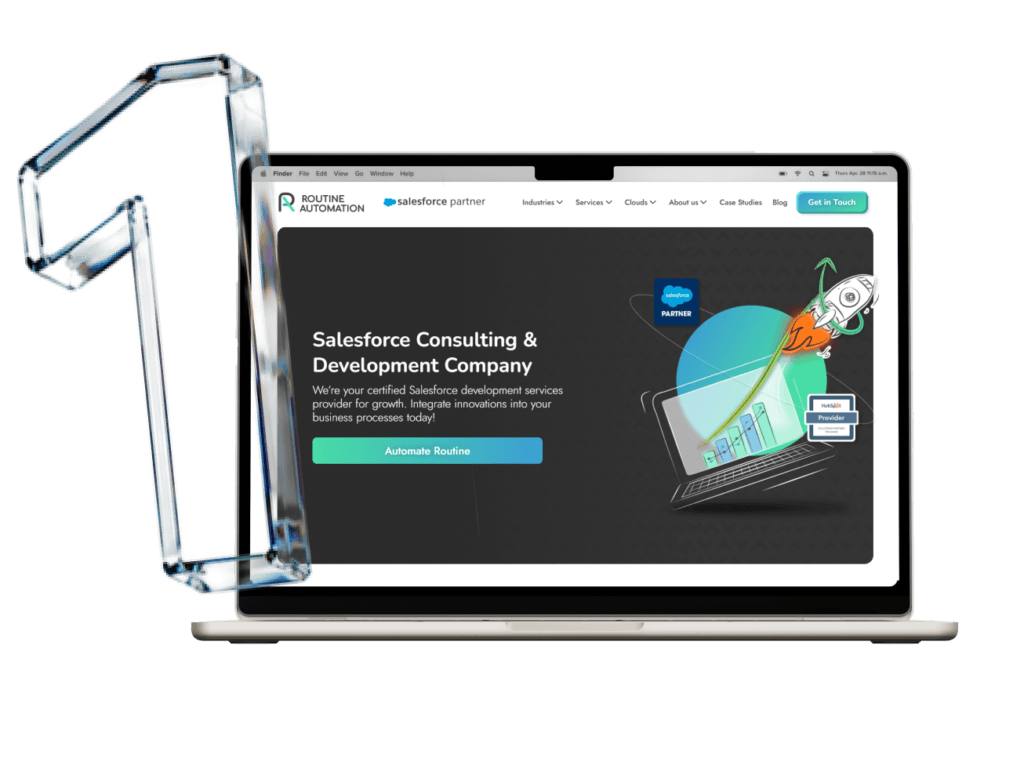
Routine Automation is the first pick here for companies that need practical Salesforce integration consulting, not a six-month strategy parade. The team connects Salesforce with the systems businesses actually use every day: ERP, Finance, Ecommerce, Marketing, Support, Analytics, Middleware, Document Tools, Payment Platforms, and Legacy Internal Software that still matters.
Key Facts:
Best For: SMB and mid-market teams with Salesforce workflows that need a real build, not another app installed and forgotten.
Founded: 2019
Location: Poland / US presence.
Company Type: Boutique Salesforce consultant and development team.
Trusted by: Neova Group, Profil Verbindungstechnik, E.ON One, Salesmsg, Ignyto, Finn-Korkki, etc.
Core Services: Salesforce integration, implementation, Revenue Cloud Advanced (RCA), Agentforce Agents, data migration, custom development, AppExchange work, Salesforce support.
The company’s proof points are strong: 293 delivered Salesforce solutions, 27 engineers, and a 4.9 customer satisfaction score across Clutch and AppExchange. Routine Automation also has experience with complex Salesforce architecture, revenue operations, and AI-driven Salesforce projects, including Agentforce-related consulting and the Salesforce Revenue Cloud Advanced case for E.ON One, focused on scaling subscription sales.
For companies that need extra delivery capacity, Routine Automation can also provide dedicated Salesforce specialists. Businesses can hire Salesforce developers to support integrations, custom development, Agentforce initiatives, system maintenance, and post-launch improvements.
Pros

Strong fit for custom workflows, automation, migration, and third-party system connections.
Direct working style suits teams that don’t want a heavy consultancy layer.
Useful after launch, when syncs need tuning and users start finding the awkward bits.
Cons

Custom work needs proper discovery, so rushed buyers may need to slow down first.
Make Salesforce Work as One
Routine Automation helps connect CRM, commerce, support, finance, and internal tools into one cleaner operating flow.
Coastal Cloud is the Salesforce partner I’d check when the real problem is data trust. If Salesforce, finance, marketing, and service all tell a different story, this is closer to Coastal’s lane than a simple connector job. It’s also a strong pick for AI-focused Salesforce integration services.

Coastal says it has worked with 1,700+ organizations across 8,000+ projects. The useful bit is the mix: MuleSoft for ERP and data connections, Snowflake for warehouse work, Data 360, Tableau, Commerce, Sales, Service, and Marketing. I’d put it on the shortlist when Salesforce data is already messy and leadership is asking for dashboards or AI agents anyway.
Pros

Strong around Salesforce data, Snowflake, MuleSoft, and reporting.
Useful when AI work needs cleaner source data.
Offers managed services after launch.
Cons

Too much for a basic app sync.
Needs real time from internal data owners.
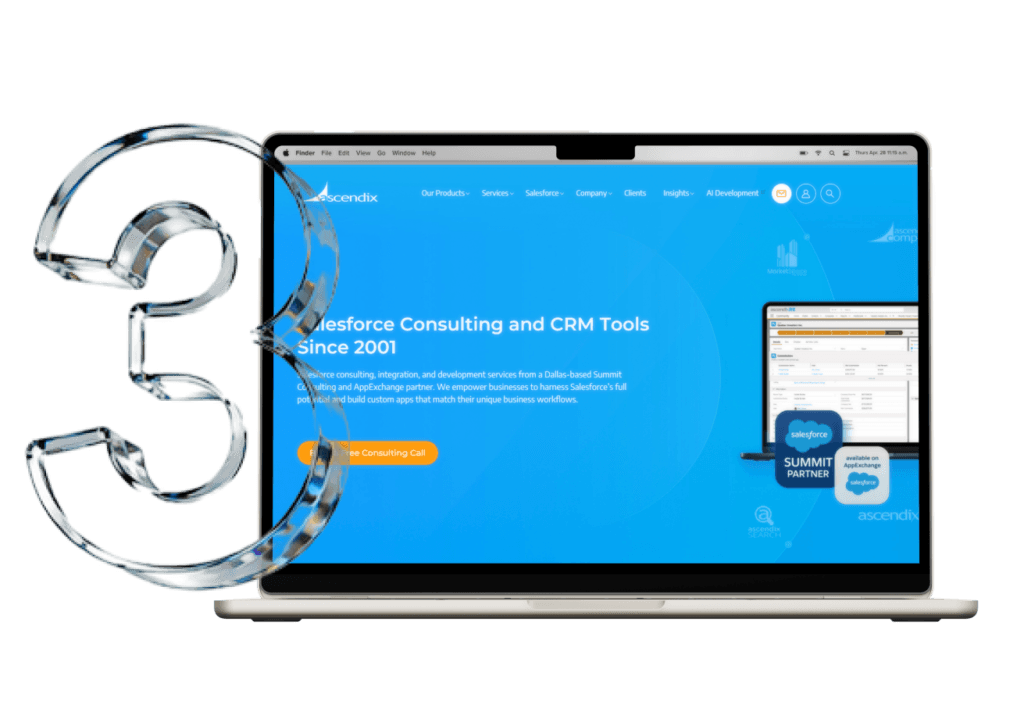
Ascendix makes sense when Salesforce has to understand assets, not just accounts. Real estate data is awkward: properties, owners, tenants, brokers, lenders, investors, leases, listings, commissions. A plain CRM setup can turn that into soup.
Key Facts:
Ascendix has 20+ years in Salesforce consulting, 172 Salesforce certificates, 26 AI Associate and Agentforce certificates, six Salesforce-based products, 300+ projects, and five offices. Its services cover setup, data architecture, third-party AI tool connections, audits, migration, and admin work.
Pros

Built around real estate and asset-heavy data.
Salesforce-native products can reduce custom work.
Useful when deals, people, and properties all need linking.
Cons
Narrower fit outside real estate.
Product-led work won’t suit every rebuild.
Noltic is strongest when the data that integrates with Salesforce has to move carefully, not quickly. Its integration work is built around ETL, field mapping, duplicate cleanup, Salesforce migration, third-party data flows, and custom development.
Key Facts:
Noltic’s data integration strategy breaks the work into extraction, transformation, transferring, and integration. You can see the team isn’t treating data movement as a one-click import. It handles field order, duplicate overload, mismatched fields, data loss, validation, backups, and inbound/outbound data flows built around business logic. It also shares examples involving CPQ and ERP consistency, payment gateways, order management, Heroku Connect, Kafka, CDC, Bulk API, and REST API.
Pros
Very relevant for ETL, migration, and data cleanup.
Good fit when Salesforce needs to connect with ERP, CPQ, payment, or order systems.
QA and AppExchange experience add useful build discipline.
Cons
Too technical for a light admin cleanup.
Buyers need to be clear about who owns business process design.
Cynoteck is more of a practical connector-and-workflow partner. Its Salesforce integration services suit teams trying to make Salesforce talk to ERP, payment gateways, CTI, ecommerce, email, Google Apps, accounting, or marketing systems without building a giant architecture programme.
Key Facts:
Cynoteck has delivered 90+ Salesforce integration projects, using various routes: MuleSoft, REST/SOAP APIs, custom middleware, real-time data sync, custom workflows, ERP, CTI, Google Apps, ecommerce, accounting tools, marketing systems, and payment gateways. That makes it a better match for Salesforce third party integration work than for a blue-sky CRM redesign.
Pros
Covers the common systems businesses actually need connected.
API, MuleSoft, and middleware work are listed clearly.
Good for mixed stacks with ERP, payments, CTI, and ecommerce.
Cons
Ask for examples in your exact stack.
Larger multi-cloud architecture may need stricter oversight.
Algoworks is the more development-heavy choice here. Combining Salesforce integration consulting, planning, and more, the team focuses on custom apps, AppExchange builds, JavaScript, Jitterbit, .NET and more.
Key Facts:
Algoworks handles custom Salesforce connections and uses pre-built tools when that saves time. Its AppExchange profile points to Lightning development, Sales Cloud, Service Cloud, Experience Cloud, Marketing Cloud, Einstein, apps, and integrations. This is more “build the missing piece” work than basic connector setup.
Pros
Stronger for custom API and app-based integration work.
Useful when Salesforce needs to connect with custom software.
AppExchange and Lightning experience matter for product-style builds.
Cons
More build-led than advisory-led.
Process ownership needs to be pinned down early.
iTransition fits Salesforce integrate projects where the hard part sits outside Salesforce too. Its integration work covers API connections, middleware, pre-built connectors, legacy systems, ERP, ecommerce, CTI, collaboration tools, email, calendars, and IT service tools.
Key Facts:
Itransition can connect Salesforce with other software through APIs, middleware, or pre-built connectors. Its Salesforce page also calls out accounting, ERP, marketing automation, ecommerce, CTI, collaboration, email, calendar, and ITSM systems. That makes it useful when Salesforce has to sit inside a wider software estate, not just sync with one SaaS tool.
Pros
Good fit for API, middleware, and legacy connections.
Useful when Salesforce touches ERP, ecommerce, ITSM, or custom software.
Stronger engineering depth than a pure CRM admin shop.
Cons
Less Salesforce-specialist than boutique partners.
Small workflow fixes may not need this much delivery weight.
CloudMasonry is useful when Salesforce integration sits close to revenue, quoting, billing, marketing, Data Cloud, MuleSoft, or managed services. It is Salesforce-focused, so it’s a cleaner fit than broad IT firms when the work stays mostly inside the Salesforce ecosystem.

Key Facts:
CloudMasonry’s AppExchange profile lists a 4.9 CSAT, 85% client retention, and experience across Salesforce products. Its client work includes CPQ, scheduling, Marketing Cloud, Data Cloud, Sales Cloud migration, and Salesforce environment redesigns, which makes it relevant when integration is tied to quoting, revenue, marketing, or customer data.
Pros
Good for CPQ, Billing, MuleSoft, Data Cloud, and Marketing Cloud.
Salesforce-focused rather than generalist.
Managed services help after launch.
Cons
Not the cheapest route for simple sync work.
Smaller global footprint than the big consulting firms.
Slalom fits larger Salesforce integration services work where the CRM is tied to Data Cloud, MuleSoft, Tableau, Slack, Commerce, Service Cloud, or Agentforce. I’d look at it when the issue is less “connect this app” and more “our Salesforce setup has outgrown the way we work.”

Key Facts:
Slalom says it has 7,400+ completed Salesforce projects and 11,500+ Salesforce certifications. Its Salesforce profile also covers Agentforce, B2B and B2C Commerce, Data Cloud, MuleSoft, OMS, Slack, Tableau, Sales Cloud, and Service Cloud.
Pros
Useful for MuleSoft, Data Cloud, Tableau, Commerce, and Slack-heavy work.
Better fit when Salesforce needs wider process redesign.
Good option for larger teams that want Salesforce plus change support.
Cons
Too much for a small connector job.
Premium consulting model.
Deloitte Digital offers one of the best Salesforce integration services packages for bigger enterprises. Its Salesforce work is most relevant when integrations touch governance, industry rules, MuleSoft, data, AI, customer experience, and several regions at once.

Key Facts:
Deloitte Digital has Salesforce practitioners in 40+ countries and was ranked as a MuleSoft Global Partner of the in Year 2025. That’s helpful to know for some integration work because MuleSoft is often the layer connecting Salesforce to ERP, legacy systems, commerce, service, and data platforms.
Pros
Strong fit for MuleSoft and governance-heavy Salesforce work.
Useful where integration is tied to industry process change.
Global delivery suits multi-region projects.
Cons
Heavy for straightforward Salesforce syncs.
Costs and process may be too much for mid-market teams.
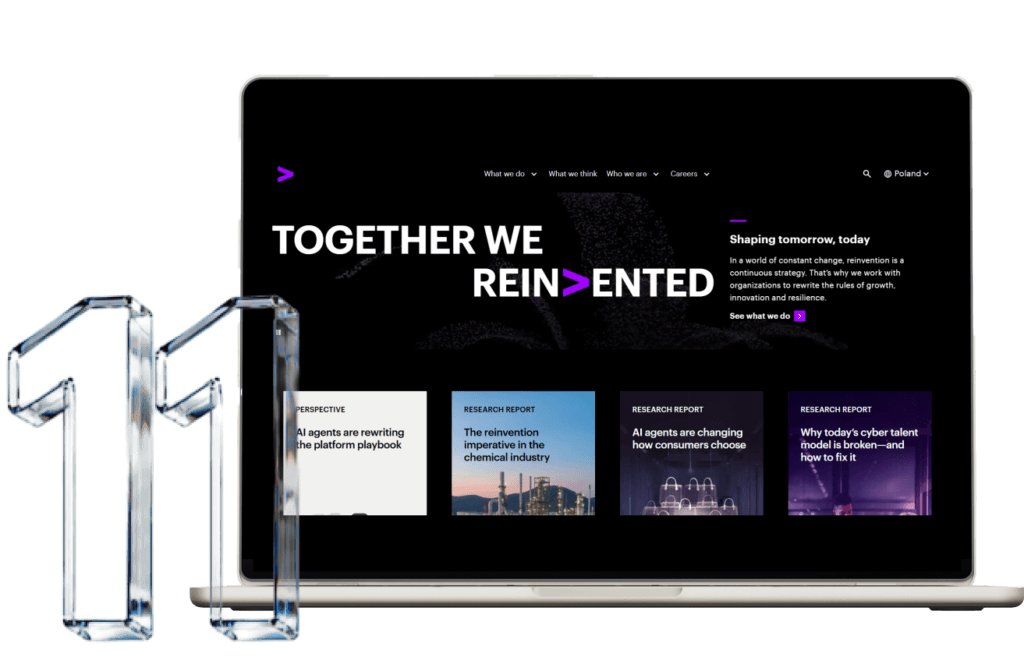
Accenture is for the very large Salesforce project: sales, service, marketing, commerce, data, AI, ERP, and managed services all tangled together. It is not the partner I’d pick for a quick Salesforce integrate job. It is the partner for serious enterprise rebuilds.
Key Facts:
Accenture’s AppExchange profile shows 56,000+ Salesforce-skilled professionals, 78,000+ Salesforce certifications, and 20+ Salesforce Partner Innovation Awards. Its Salesforce career page also describes Accenture as the #1 Salesforce alliance partner globally.
Pros
Deep bench for global Salesforce, data, AI, and commerce work.
Useful when Salesforce must connect with ERP and operating systems.
Managed services can support long programmes.
Cons
Too large for most focused integration projects.
Smaller teams may struggle with the process weight.
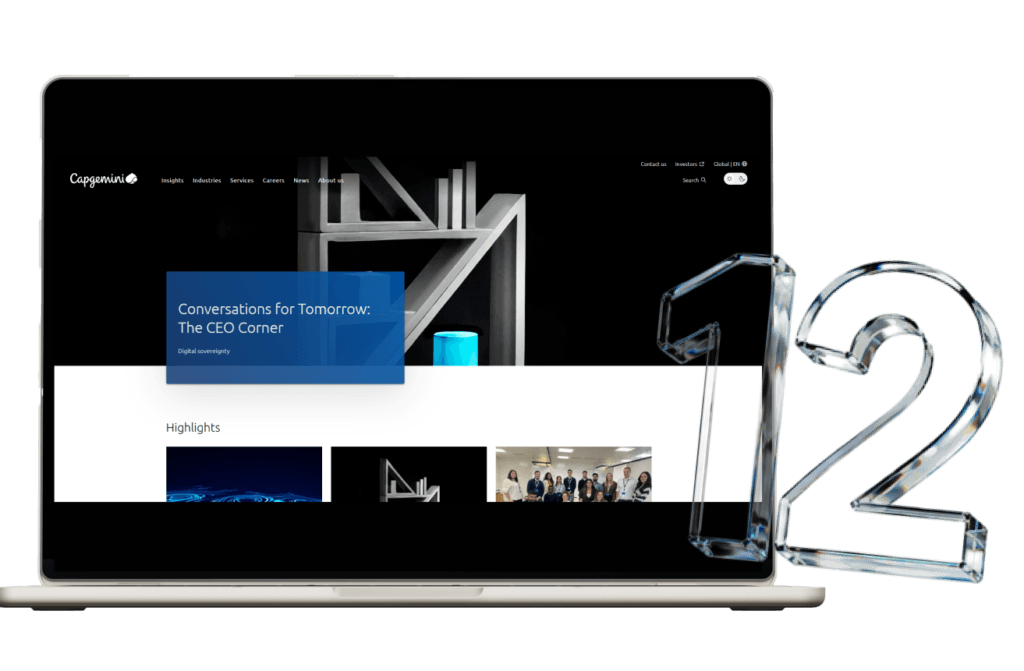
Capgemini fits the Salesforce projects with old systems attached. The interesting bit is its focus on connecting Salesforce with legacy, IT, OT, and cloud systems through MuleSoft and Data Cloud, which is exactly the kind of work that breaks when teams treat Salesforce like a standalone CRM.
Key Facts:
Capgemini is here because its Salesforce work doesn’t stop at the CRM layer. The MuleSoft partnership goes back to 2008, and the focus is API connectivity across on-premise, cloud, and hybrid systems. That’s the useful bit for buyers with Salesforce sitting beside older finance, operations, or service platforms.
Pros
Strong fit for MuleSoft and Data Cloud projects.
Useful when Salesforce has to pull from old systems, not only SaaS tools.
Good for enterprise AI plans that need cleaner source data.
Cons
Too heavy for a single connector.
Needs firm internal ownership, or scope can sprawl.
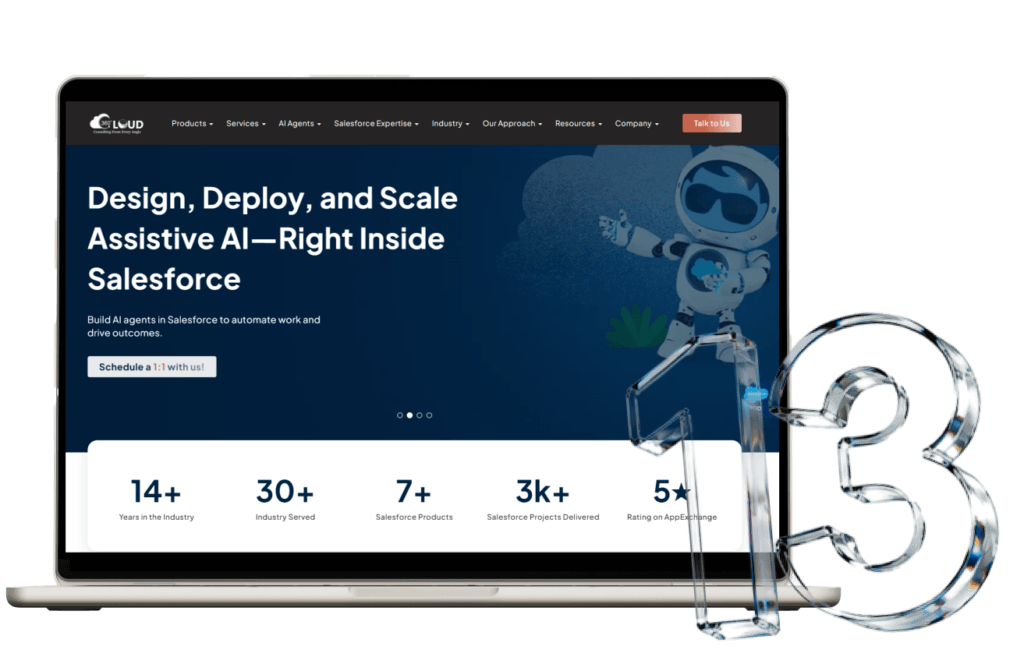
360 Degree Cloud is the product plus Salesforce integration consulting option. It makes sense when Salesforce needs CTI, SMS, e-signature, documents, payments, productivity tools, or AppExchange-style work alongside consulting.
Key Facts:
Its AppExchange profile lists integrations with ERPs, HelloSign, Adobe Sign, DocuSign, CTI, Formstack, Conga, Eventbrite, Blackthorn, Outlook, Gmail, LinkedIn, Stripe, PayPal, and real estate tools. That’s a very specific lane, and more useful than vague “CRM help.”
Pros
Strong fit for CTI, e-signature, documents, payments, and productivity workflows.
Salesforce-native product background helps when an app could reduce custom build time.
Covers Sales, Service, Marketing, Education, and Commerce use cases.
Cons
Product-led work won’t fit every custom build.
Scope needs trimming early.
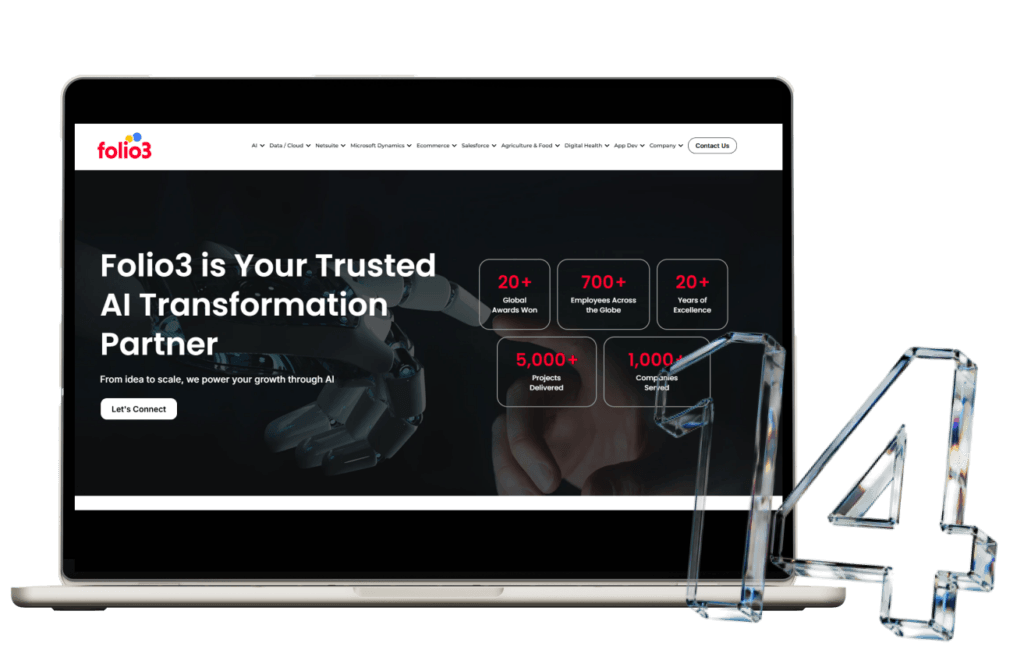
Folio3 is strongest where Salesforce touches operations: ERP, accounting, ecommerce, marketing, payments, and external databases. I’d look at it for customer, order, product, invoice, refund, and finance data moving between systems.
Key Facts:
Folio3 connects CRM with ERP, marketing, and commerce systems, and its UK page calls out custom API connections with external apps and databases. Its AppExchange profile also lists Sales, Service, Marketing, and Commerce Cloud work across teams in eight countries.
Pros
Good fit for ERP, ecommerce, payments, and API-led data movement.
Useful when order and customer records need to reach Salesforce.
Support after launch is part of the pitch.
Cons
Check B2C Commerce depth before choosing.
Broader software work means Salesforce isn’t the whole business.
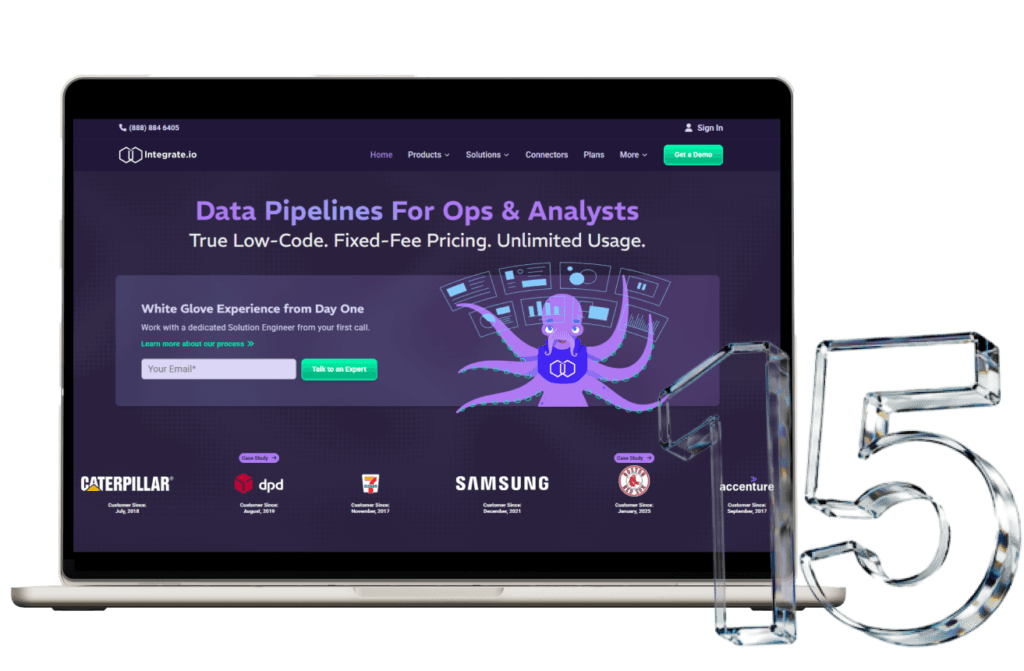
Integrate.io isn’t a consulting firm in the usual sense. It’s for teams that need Salesforce data pipelines: ETL, CDC, Reverse ETL, warehouse sync, and cleaned data pushed back into Salesforce. It’s more about simple connectivity than complex setups.
Key Facts:
Integrate.io’s Salesforce connector uses OAuth 2.0, REST API, and Bulk API 2.0. Its docs say teams can read standard and custom Salesforce objects, write cleaned data back with Bulk API, and run Salesforce CDC into warehouses and databases.
Pros
Strong for CDC, Bulk API, ETL, and Reverse ETL.
Good for Snowflake, BigQuery, Redshift, Databricks, BI, and database work.
Better fit for data teams than CRM admin teams.
Cons
Won’t redesign Salesforce workflows.
Needs clean ownership between data and CRM teams.
Company Name | Best For | Core Salesforce Integration Services | Location / Region | Company Type | Pricing Level | Good Fit For |
Routine Automation | Custom workflow fixes | ERP, ecommerce, payments, marketing, support, migration, APIs | Poland / US | Boutique Salesforce consultant | 💲💲 | SMBs and mid-market teams with messy CRM handoffs |
Coastal Cloud | Salesforce data cleanup | MuleSoft, Snowflake, Data 360, Tableau, migration | US | Salesforce data consultancy | 💲💲💲 | Teams preparing Salesforce for AI or reporting work |
Ascendix Technologies | Real estate CRM | Property records, leases, portals, migration, AppExchange apps | US / global | Industry Salesforce consultant | 💲💲💲 | CRE, capital markets, private equity |
Noltic | Technical builds | ETL, field mapping, CPQ/ERP sync, CDC, REST and Bulk API | US / Europe | Salesforce development agency | 💲💲 | Teams with difficult data movement |
Cynoteck | Everyday tool syncs | ERP, CTI, ecommerce, accounting, REST/SOAP, middleware | India / US / UAE | Salesforce consulting company | 💲💲 | Growing companies with mixed systems |
Algoworks | Custom apps | Java, .NET, JS, Jitterbit, Informatica, Lightning, AppExchange | US / India / Canada | Salesforce development company | 💲💲 | ISVs and product teams |
Itransition | Legacy links | APIs, middleware, ERP, ecommerce, CTI, ITSM, custom software | US / Europe / global | Technology consulting company | 💲💲💲 | Companies with older internal systems |
ScienceSoft | Cloud and on-prem links | ERP, accounting, CTI, ecommerce, databases, other CRMs | US / global | IT consulting company | 💲💲💲 | Enterprise IT teams |
CloudMasonry | Salesforce product work | MuleSoft, Data Cloud, CPQ, Billing, Marketing Cloud | US / UK | Salesforce consulting company | 💲💲💲 | Teams already deep in Salesforce |
Slalom | Large redesigns | Data Cloud, MuleSoft, Tableau, Slack, Commerce, Service Cloud | Global | Business technology consultancy | 💲💲💲 | Larger organizations rebuilding Salesforce |
Deloitte Digital | Regulated programmes | Salesforce, MuleSoft, AI, data, governance, industry clouds | Global | Global consulting firm | 💲💲💲 | Banks, insurers, healthcare, public sector |
Accenture | Global programmes | Agentforce, Data Cloud, Einstein, Commerce, ERP, managed services | Global | Global professional services firm | 💲💲💲 | Fortune 500 teams |
Capgemini | Legacy and MuleSoft work | MuleSoft, Data Cloud, legacy apps, IT, OT, cloud systems | Global | Global technology consultancy | 💲💲💲 | Large enterprise IT teams |
360 Degree Cloud | Salesforce add-ons | ERP, CTI, SMS, e-signature, payments, documents, AppExchange | India / global | Summit Partner / ISV | 💲💲 | Teams needing consulting plus Salesforce-native tools |
Folio3 | Commerce operations | ERP, ecommerce, payments, APIs, marketing, databases | US / UK / global | Salesforce digital services company | 💲💲 | Commerce, finance, and ops teams |
Integrate.io | Data pipelines | ETL, CDC, Reverse ETL, Bulk API, warehouse sync | US / global | Data integration platform | 💲💲 | RevOps, analytics, and data teams |
A decent discovery call should ask real questions. That’s a good sign.
If the partner only talks about connectors, move carefully. The harder questions are usually about ownership, failed jobs, dirty records, and the weird exception someone in finance forgot to mention.
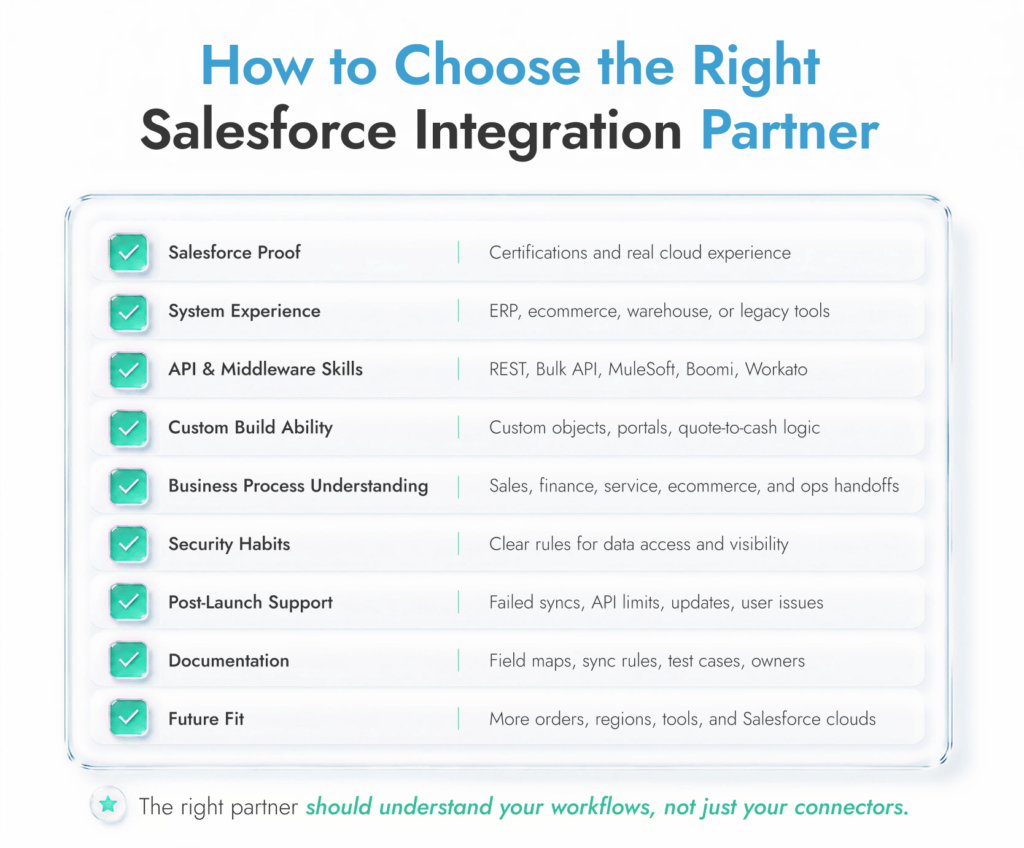
Use this checklist before choosing a Salesforce integration company:
Choose Routine Automation if you need custom Salesforce integration services, direct expert involvement, practical CRM consulting, third-party system work, and workflows shaped around how your team actually operates.
If you’re still not sure, check out some of the other best Salesforce implementation partners worth considering.
Salesforce integration looks technical from the outside. Inside the project, it’s mostly business decisions with APIs attached.
Who owns the customer record? Which order status matters? Should payment data be copied into Salesforce or only shown there? What happens when the warehouse updates stock five minutes after the ecommerce platform? Who gets paged when a sync fails?
That’s the real scope of the work that Salesforce integration experts need to help you with.
Routine Automation is a strong choice for companies that need custom Salesforce integration services, CRM consulting, workflow automation, data migration, and third-party system connections without a giant consulting layer around every decision.
If you’re already seeing those cracks, it’s probably worth talking through the setup.
Because Salesforce is rarely the only system holding customer data. Orders sit in ecommerce. Invoices sit in finance. Tickets sit in support. Without integration, people patch the gaps by hand, and the CRM slowly becomes less believable.
Salesforce can connect with ERP, ecommerce, payment, billing, marketing, support, BI, warehouse, collaboration, and internal systems. The harder question is which system should own each record.
Native integrations use Salesforce tools, AppExchange apps, or ready-made connectors. Custom integrations are built around the awkward bits: custom objects, API rules, field mapping, legacy software, order flows, or approval logic that a standard connector can’t handle.
Choose a Salesforce integration consultant who has seen your kind of stack before. Ask about APIs, middleware, data migration, security, launch support, and sync documentation. If they stay vague, keep looking.
The best Salesforce integration services come from the provider that fits the job. Routine Automation works well for custom Salesforce workflows and third-party connections. Coastal Cloud is stronger for data-heavy projects. Ascendix fits real estate CRM. Integrate.io is for Salesforce data pipelines.