
Accelerate Sales with Salesforce Vlocity
Salesforce Vlocity transformed an Australian telecommunication’s sales strategy, simplifying quote-to-order flows and upscaling productivity


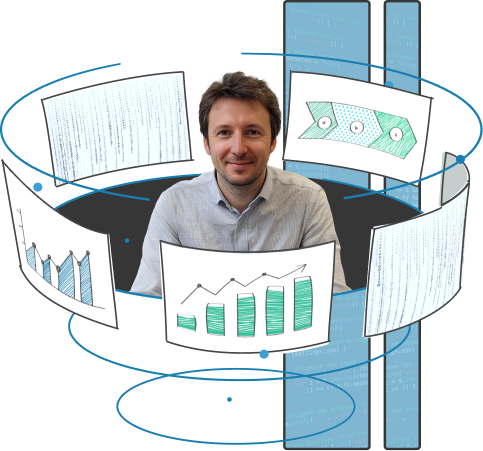
Tableau is a leading AI-powered analytics platform designed for seamless data processing across any device or system.
Integrating Salesforce with Tableau is essential for businesses of all sizes and industries seeking to enhance their data visualization and analysis capabilities. By leveraging this integration, teams can effectively communicate insights to colleagues, clients, and stakeholders, regardless of their technical expertise.
Benefits of Connecting Tableau and Salesforce:


Collect information from various sources, including Excel spreadsheets, multidimensional data arrays, and cloud storage, to ensure a holistic view of your business data.
Analyze and track trends and events to gain insights into their causes. Now your organization will easily make informed strategic decisions.
Create dynamic dashboards with charts, maps, and visualizations for easy-to-understand insights.
Combine different data types in summary reports, such as linking advertising spend with registration data to calculate cost-effectiveness.
Create diverse reports, from simple tables to in-depth trend analyses, to meet the specific needs of your stakeholders.
Easily share dashboards and visualizations with colleagues, allowing for collaborative analysis and cloud-based report storage.
Access key performance metrics from anywhere in the world, facilitating effective business evaluations and decision-making.
Build basic graphs with minimal preparation, as Tableau’s intuitive interface automates calculations and suggests appropriate visualization types.
Benefit from detailed documentation and an active user community that provides guidance for complex visualizations and troubleshooting.
System health check
We evaluate the current state of your Salesforce instance (if you already use it), identifying any performance issues, inefficiencies, or outdated configurations.
Integration analysis
Our consultants review how Salesforce integrates with your other systems and recommend improvements for better data flow and system connectivity.
User adoption assessment
We check how effectively your team is using Salesforce and identify any training gaps or areas that require additional support.

Data migration
We guarantee a smooth and secure transfer of data from old systems to Salesforce, keeping your data accurate and ready for easy reporting with Tableau.
Custom workflows
Our Salesforce developers design customized workflows and automation that enhance efficiency by synchronizing business processes between Salesforce and Tableau, ensuring seamless data flows.
Ongoing monitoring
We regularly monitor system performance and resolve issues before they impact business operations.
Performance optimization
Our team continuously refines system configurations to enhance speed, data flow, and processing capabilities.
Incident management
We provide rapid troubleshooting and resolution of integration-related issues to minimize downtime.
Audits
We regularly review your system to ensure it meets industry regulations like GDPR or HIPAA.
Data encryption
As Tableau processes large volumes of potentially sensitive data, we implement encryption protocols for both in-transit and at-rest data, enhancing security. Our team guarantees robust protection for your data.
User training sessions
We provide hands-on workshops for users at all levels, from beginners to advanced, to enhance platform proficiency.
Ongoing support and resources
Deliver continuous learning through additional resources like guides, and Q&A sessions to reinforce knowledge.

Tableau from Salesforce is an advanced analytics platform designed to help users see and understand data, empowering teams to make data-driven decisions faster. It integrates with Salesforce’s Customer 360, providing real-time insights and simplifying complex data through visual storytelling.
Tableau connects data from multiple sources, automates manual processes with tools like Einstein Discovery, and offers predictive analytics for business forecasting.
To learn more about how Tableau can transform your business and unlock the full potential of your data, watch the video and discover its powerful features, from automation to collaboration tools, and see how it improves productivity.

At Routine Automation, we focus on delivering personalized Salesforce solutions. Our team of 50+ engineers has earned a 4.9 engagement score. You’ll benefit from close collaboration with the RA team as we work to fully understand your business goals and processes.
This collaboration allows us to craft solutions tailored to your specific needs. With industry expertise and Salesforce certifications, we ensure seamless automation.









Our team connects Tableau to Salesforce CRM by first collecting the necessary OAuth credentials, as username and password sign-ins are no longer supported. We then initiate the connection by selecting Salesforce in Tableau and guiding you through the authorization process to set up your data source effectively. With our extensive expertise in Salesforce integration, we ensure a seamless connection tailored to your business needs, allowing you to maximize the insights derived from your data analysis.
Data Cloud seamlessly integrates all Salesforce data into Tableau, allowing users to access visualizations of customer demographics and sales trends.
Connecting Tableau to Salesforce reports is not possible. To obtain them, you’ll need to recreate them using raw database data. Alternatively, you can export a Salesforce report as a CSV or XLSX to preserve formulas and roll-ups, but this data won’t refresh easily in Tableau.
Integrating Tableau with Salesforce starts at $70 per user per month.
There are three plans (each with different pricing and features):
Types of licenses:
Discounts are available for nonprofits, and free Creator licenses may be available for certain customers. We are here to help you select the best option tailored to your needs and budget.
As of November 2024, Tableau supports the following data types:
Tableau doesn’t provide free data refresh options. To refresh data, a paid Tableau license is required.
Yes, Routine Automation provides tailored training and ongoing support for your team. Just contact us to discuss our collaboration.
Here are some common mistakes to avoid when working with Tableau: