Plan Salesforce properly from the start
If you’re weighing Dynamics vs Salesforce, we can help you map requirements, design workflows, and avoid costly mistakes before implementation begins.




Nobody wakes up and decides to start comparing CRMs for fun. The Microsoft Dynamics vs Salesforce debate usually comes out of necessity, when the current setup is getting in the way of growth. Sales keeps side notes. Reports need explaining every time they’re shown. Someone pulls numbers from the CRM, and nobody fully trusts them.
Most companies recognize the need for a CRM, (91% of companies with more than ten employees use one), but making the right choice isn’t always easy.
Salesforce usually comes into the shortlist early, as the default market leader, ranked number one in the industry for 12 years in a row. Still, Microsoft Dynamics has its own benefits. It’s built to plug into everything else Microsoft already runs, whether that’s Outlook, Teams, or Power BI.
That difference sounds small until you’re actually using the system every day.
So instead of walking through features again, this is a look at how both platforms behave once they’re live. What feels easy. What gets complicated. And what actually matters once people stop talking about Salesforce vs other CRM platforms, and just have to get their work done.
|
Criteria |
Salesforce |
Microsoft Dynamics 365 |
|---|---|---|
|
Best fit for |
Teams that want the CRM to define sales and service processes |
Teams already working inside Microsoft tools every day |
|
Core focus |
CRM-first platform |
CRM inside a wider Microsoft system |
|
Deployment model |
Cloud-first |
Cloud-first, tied to Microsoft tenant |
|
Sales functionality |
Flexible pipelines, strong customization |
Solid sales tools, especially around Outlook and Teams |
|
Customer service functionality |
Mature service setup, strong case handling |
Strong routing, service tools, and internal collaboration |
|
Marketing capabilities |
Wide ecosystem, depends on add-ons |
Stronger when paired with Microsoft data stack |
|
AI and automation |
Einstein, Flow, Agentforce direction |
Copilot, Power Automate |
|
Reporting and analytics |
Built-in reporting, extended options |
Works closely with Power BI |
|
Integrations |
Huge AppExchange ecosystem |
Best with Microsoft-native tools |
|
Customization |
Very flexible, lots of partner support |
Flexible, but more tied to Microsoft approach |
|
Ease of use |
Often feels more natural inside the CRM |
Feels familiar if you live in Microsoft tools |
|
ERP / operations |
CRM-focused |
Stronger link to operations and ERP tools |
|
Pricing approach |
Entry looks simple, grows with add-ons |
Modular, can make sense if you already pay for Microsoft |
|
Implementation |
Easier to start, harder to control long term |
Smoother in Microsoft-heavy setups, still complex |
|
Scalability |
Strong for CRM expansion |
Strong across broader business systems |
|
Support |
Large ecosystem, training resources |
Microsoft support + partner network |
|
Bottom line |
Better if CRM is the center of your stack |
Better for Microsoft fans |
Tables like this are helpful for any Microsoft Dynamics versus Salesforce comparison. They don’t make the decision for you, but they show you pretty quickly is where each platform leans.
Salesforce is built to be the place where customer activity lives. That’s still how it’s positioned, and it’s a big reason it keeps leading the market.
Dynamics feels different once you start thinking about how people actually work during the day. It’s designed to sit inside the Microsoft environment, not pull people out of it. Microsoft’s own docs lean heavily on that connection between Dynamics, Teams, Outlook, and Power BI.
You’re really deciding where your CRM should sit. At the center of everything, or inside something that’s already there.
The biggest difference between Salesforce and Microsoft Dynamics isn’t features. It’s where each system sits once people actually start using it.
Salesforce wants to be the core customer system. That’s the center of gravity. Sales, service, automation, reporting, partner apps, all of it tends to build outward from the CRM.
Dynamics has a different instinct. It makes more sense when the company already runs a lot of work through Microsoft. Outlook, Teams, Excel, Power BI, Power Automate. Microsoft’s own product positioning is very clear on that point. Dynamics 365 is part of a wider business application stack, not a stand-alone bet on CRM alone.
That difference matters when you’re making real decisions:
With Salesforce, teams usually start from the process itself. How should sales move? How should service work? Then they build the system around that.
With Dynamics, the conversation often starts somewhere else. How does this fit with the Microsoft environment we already have? Who owns Power Platform? Where does reporting live?
That changes the build.
It changes the people involved too. A Salesforce CRM vs Microsoft Dynamics decision is rarely just for sales leadership. IT gets pulled in faster with Dynamics. RevOps tends to have a bigger voice with Salesforce.
There’s also a mindset difference. Salesforce usually appeals to companies that want room to keep extending the CRM over time. Dynamics often appeals to companies that care just as much about alignment across the wider business stack.
If you’re weighing Dynamics vs Salesforce, you’re not choosing between “capable” and “limited.” Both systems can handle the core work easily.
You can run the same basic setup on either side:
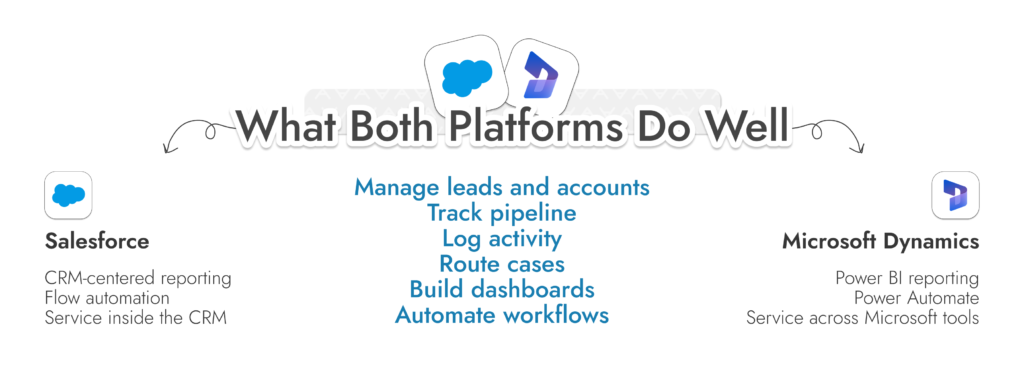
Things change when you compare Salesforce to Microsoft Dynamics CRM after they’ve been running for a while.
For example, reporting. On paper, both platforms cover it. In reality, teams tend to treat them differently. Salesforce often becomes the place where reports live. In Dynamics setups, reporting drifts out into Power BI more often than people expect, especially once finance or ops teams get involved.
Automation is similar. Both platforms can automate a lot, but the way it’s structured changes the day-to-day experience. Salesforce is pushing everything toward Flow now, especially since older tools have been phased out. Dynamics leans on Power Automate, which makes sense if you’re already using Microsoft tools elsewhere.
Service teams run into the same pattern. Case management, routing, knowledge bases, all there on both sides. But how teams collaborate around those cases, especially across departments, tends to feel different. Microsoft keeps tying service workflows back into Teams and its wider environment. Salesforce keeps everything more contained inside the CRM itself.
So if you’re trying to compare Salesforce and Microsoft Dynamics CRM, remember, you’re not picking based on whether the features exist. You’re picking based on how they behave once people stop paying attention to the rollout and just start using the system every day.
For sales teams, both platforms can run a pipeline. The real question is how much the system helps versus how much it gets in the way.
If you’re looking at Dynamics CRM vs Salesforce, the difference usually shows up in where reps spend their time and how much structure the system expects from them.
At a basic level, both cover the same ground:
Still, Salesforce leans hard into the idea that the CRM is the workspace. Deals move forward inside it. Forecasting lives there. Reporting comes from there. If it’s set up well, it can feel clean. If it’s not, it turns into a place people update after the fact.
Dynamics feels different. It doesn’t push reps into the CRM in the same way. A lot of the selling activity can happen in Outlook or Teams, with CRM data sitting alongside it. Microsoft’s own documentation leans into that idea, especially with Copilot helping reps summarize deals, prep for meetings, and pull context from emails and interactions.
Some teams prefer having everything anchored inside the CRM. Others don’t want to live there all day and would rather have the system follow them around instead.
There’s also a trade-off around flexibility. Salesforce usually gives more room to shape the pipeline exactly how the business wants. Custom stages, custom logic, custom objects, it’s all there. That’s why a lot of growing teams lean toward it when they expect their sales process to keep changing.
Dynamics can do similar things, but the way you get there often depends more on how the rest of the Microsoft stack is set up. It’s not just a sales decision at that point.
For support, both platforms handle cases, queues, SLAs, knowledge bases. If you stop there, a Salesforce CRM vs Microsoft Dynamics 365 comparison looks even.
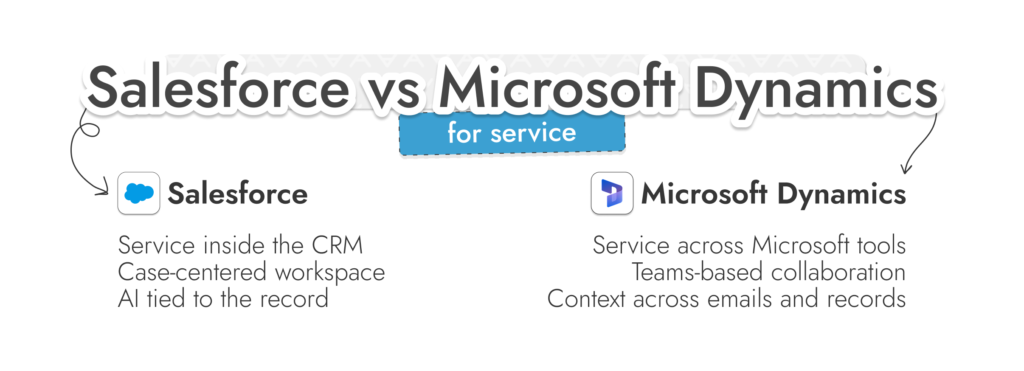
It doesn’t stay that way once volume picks up.
Salesforce keeps service tightly centred inside the CRM. Everything revolves around the case. The agent works inside one workspace, with history, knowledge, routing, and communication sitting together. Service Cloud leans heavily into that model, and more recently into AI features like case summaries, suggested replies, and workflow prompts tied directly to the record.
Dynamics works differently. The same pieces are there. Cases, queues, SLAs, knowledge. But the system feels less self-contained. Microsoft keeps pulling service activity into its wider environment. You’ll see that in things like Teams integration, where agents can bring in other teams mid-case, or in Copilot features that surface context across emails, records, and conversations.
In Salesforce setups, the CRM often becomes the place where service lives. Escalations, reporting, workflows, everything stays close to the case. It’s clean when it’s well managed. It can also get heavy if too much logic ends up tied to the record. In Dynamics setups, service tends to spread out more. Conversations move through Teams. Data flows into other Microsoft tools. The CRM is still central, but it doesn’t try to contain everything.
Both platforms can handle support at scale without much trouble. The decision comes down to how you want that work to feel. Kept tight inside the CRM, or spread across the tools your team already uses.
Up to this point, Microsoft Dynamics 365 vs Salesforce can feel like a simple comparison. Once integrations come into it, it starts to feel more like a choice about how your company actually runs.
If most of your day is already inside Microsoft tools, Dynamics doesn’t really ask you to change much. Emails stay in Outlook. Conversations stay in Teams. Reporting leans into Power BI. The CRM just sits alongside all of that. You can pull up records inside chats, link activity back to accounts, keep context without jumping between tabs every few minutes.
Salesforce goes the other way. It doesn’t assume everything lives in one place. It’s built for stacks that are already a bit scattered. Marketing tool here, product tool there, support system somewhere else.
Instead of trying to pull everything into one environment, it connects them. That’s where AppExchange and APIs come in.
Both solutions connect with a huge range of tools, although Salesforce does have a slight edge with one of the biggest app marketplaces in existence (more than 9,000 pre-built options).
Dynamics can feel straightforward early because so much is already under Microsoft. Salesforce can feel more open because you’re not boxed into one stack. Both of those advantages can turn on you if nobody is properly owning how data moves.
That’s usually where projects start to wobble. If you’re thinking ahead to that stage, it’s worth going through some Salesforce data migration best practices before anything goes live. Most of the problems show up there, not in the initial build.

We design Salesforce integrations around real workflows, data ownership, and reporting logic so your system keeps working as it grows.
Ease of use is one of the most common things companies look at when they’re exploring the difference between Salesforce and Dynamics 365. Nobody wants to spend a year trying to get people to use the system properly.
Salesforce usually gets pegged as the more complicated option, but it really leans towards structure. It wants activity inside the CRM. Deals updated there. Notes logged there. Forecasts built from what’s in the system. When that lines up with how a team already sells, it works. When it doesn’t, you start seeing gaps. Deals that move forward but don’t get updated. Reports that need explaining every time they’re shared.
Dynamics feels a bit looser. It assumes people are already doing most of their work somewhere else. Outlook, Teams, maybe a mix of other Microsoft tools. The CRM follows that instead of trying to replace it.
Some teams settle into that quickly. Others miss having one place where everything is forced to happen. AI features can help with some bottlenecks.
Both platforms surface summaries and suggestions now. Microsoft’s Copilot does it inside Dynamics. Salesforce is pushing the same idea in its own way.
Still, there’s a learning curve with both platforms. Some companies decide to take a different route entirely, eventually looking at more “beginner” friendly alternatives. Our HubSpot vs Salesforce comparison shows just how much simpler HubSpot can be for some companies.
We’ve already mentioned integrations, which make a big difference when you’re looking at Microsoft Dynamics CRM vs Salesforce with a focus on customization.
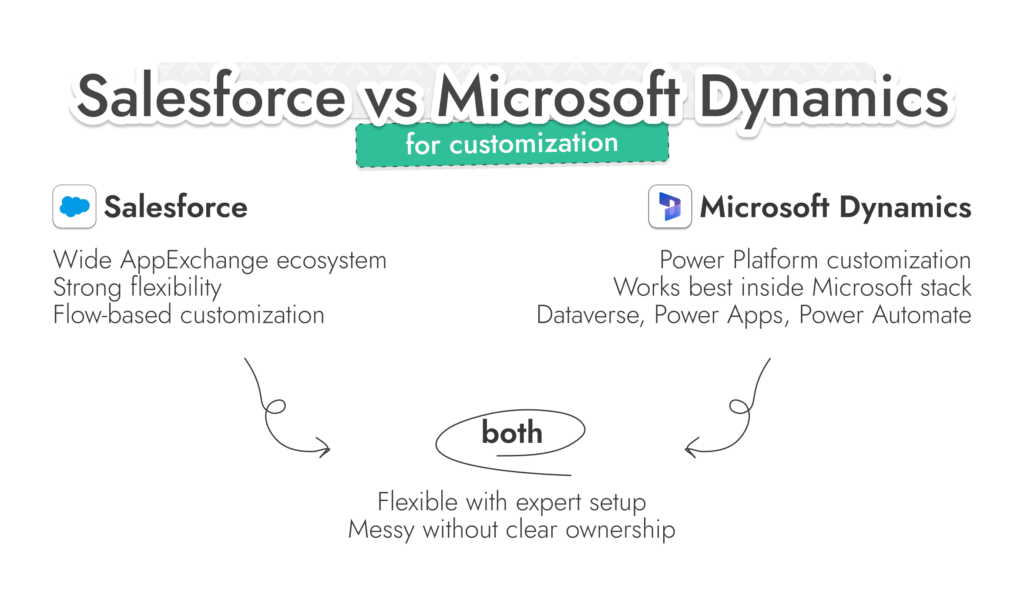
Salesforce definitely stands out in that area. AppExchange is full of connectors, add-ons, niche tools. If you need something slightly unusual, chances are someone’s already built part of it.
Dynamics doesn’t try to match that kind of spread. It leans inward. Dataverse, Power Apps, Power Automate. If your team already works with those, things click together pretty naturally. If not, it can feel like you’re learning a second system just to extend the first.
Still, there’s another element to customization too. If you’re willing to work with an expert, you can tune both systems to suit specific needs.
Both can flex pretty far, that’s not a problem.
Salesforce has already been through a cleanup cycle here. Older automation tools have been phased out, and most of the logic is now expected to run through Flow.
Dynamics has a similar pattern, just spread across the Power Platform. Automations, apps, data model changes. It works well when someone owns it properly. It gets messy when it’s shared across teams without clear boundaries.
A few warning signs tend to show up in both systems:
At that point, it’s not really a customization problem anymore. It’s a control problem, which is when companies start looking at the top Salesforce consulting companies, or Dynamics specialists for extra support.
If you’re comparing Dynamics 365 CRM vs Salesforce right now, you’ll hear a similar pitch from both sides. AI, automation, better workflows, smarter decisions.
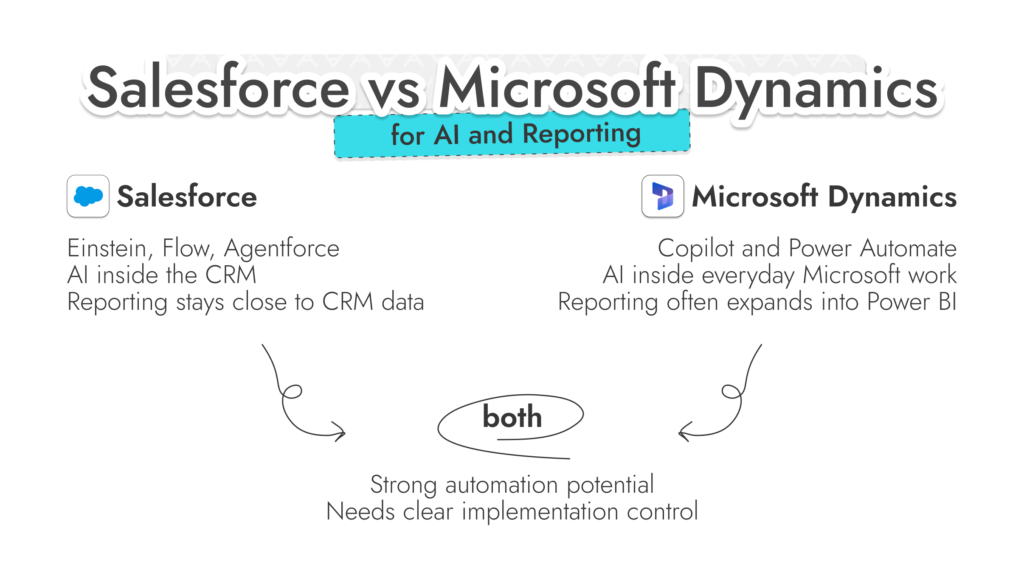
Microsoft has been pushing Copilot deeper into everyday work. Not as a separate feature, more as something that shows up while you’re already working, pulling context from emails, records, and activity without needing to go looking for it.
Salesforce is doing something similar, just anchored inside the CRM. Einstein, Flow, Agentforce, they’re all built around nudging users while they’re working. Suggesting next steps, filling in gaps, trying to reduce the amount of manual input needed.
In the Microsoft CRM vs Salesforce debate, both companies have proven widespread adoption of their tools. More than 18,000 companies are using Agentforce, and nearly 70% of the Fortune 500 use Copilot. Both options even give companies tools for building their own agentic workflows.
The challenge in both systems is implementation. AI and automated strategies are easy to implement, but harder to keep clean. Small bits of logic get added over time. One workflow triggers another. Something gets updated twice. Nobody is quite sure which process is actually doing the work anymore. That’s what happens when systems grow, and why expert support is so valuable.
From a reporting perspective, both tools deliver. Salesforce usually keeps reporting close to the CRM. Pipelines, dashboards, forecasts, all tied directly to what’s in the system.
Dynamics tends to drift outward. Once Power BI gets involved, reporting often lives there instead. That can be a strength, but it also means another layer to manage.

We help teams set up Salesforce automation, reporting, and AI so it works in real workflows, not just demos.
A lot of Microsoft Dynamics versus Salesforce comparisons start with license pricing and stop there. That’s how teams talk themselves into the wrong system.
The list prices matter, obviously. Salesforce’s US pricing starts lower at the entry end, while Microsoft’s Sales plans step up faster. Salesforce lists Starter Suite from $25 per user per month and Pro Suite at $100. Enterprise starts at $174 per month, and Unlimited starts at $325 per month.
Microsoft lists Dynamics 365 Sales Professional at $65, Enterprise $105, and Business Central at $80-$110 per month. Salesforce is more likely to be seen as the best CRM for small business (at least at first), if you’re low on budget. Still, there are other costs to consider.
That’s why the Microsoft Dynamics CRM & Salesforce comparison based on cost is rarely about who’s cheaper in general. It’s more specific than that.
If a company already pays for half the Microsoft stack, Dynamics can make financial sense pretty quickly. If the business needs a CRM that can stretch across a messier toolset, Salesforce often justifies itself differently.
License cost gets attention because it’s easy to compare. Ownership cost is the part that matters.
This is where the whole Salesforce CRM vs Microsoft Dynamics 365 debate simplifies, but only a little. A lot of teams want a winner. There isn’t one. There’s just fit.
Dynamics usually makes more sense when the business already runs on Microsoft and doesn’t want the CRM to feel like a separate world.
That tends to look like this:
Salesforce usually fits better when the CRM needs to be its own serious operating layer, with room to stretch, change, and connect outward.
That tends to look like this:
A lot of CRM projects go wrong before the platform is even chosen.
Often, because the business buys too early, builds around assumptions, then spends months fixing things that should have been sorted out at the start.
That’s the part Routine Automation can help with.
Not as a software vendor. As the team that helps companies think clearly about the setup before it becomes expensive.
That usually means:
If Salesforce is the right answer, the work usually shifts into implementation, migration, integration design, and cleanup. The useful thing here isn’t “we can implement Salesforce.” Plenty of firms can say that. It’s getting the structure right before the CRM starts collecting bad habits.