

 Suomi
Suomi Français
 Deutsch
 Polski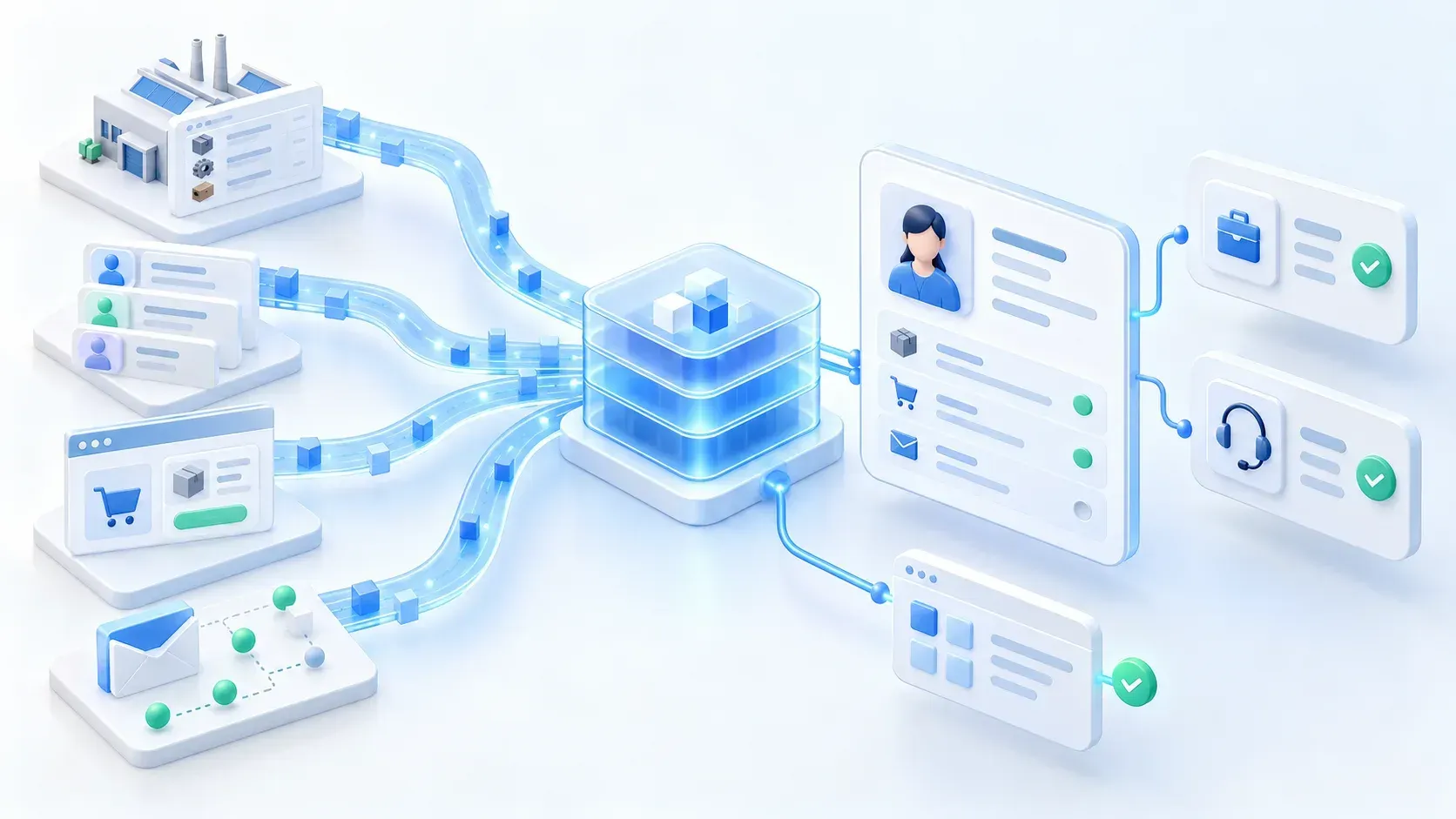
Client situation and challenges
A manufacturing company used Salesforce CRM alongside SAP ERP, e-commerce storefronts, and marketing applications. Existing integrations connected these systems, but customer identities, commercial information, and engagement history remained fragmented. Years of customization had also introduced overlapping Salesforce fields and inconsistent data definitions.
Problems and their business impact

Legacy integrations were difficult to extend
Adding a system required new data flows and orchestration between applications, as well as onboarding its data into the warehouse. Maintaining separate mappings and repeated integration logic increased effort and made the landscape harder to extend.

Overlapping Salesforce fields complicated data management
Years of customization had introduced duplicated fields and definitions serving similar purposes. This increased CRM maintenance complexity and made consistent integration mappings harder to establish.

Fragmented identities obscured customer relationships
The same customer appeared differently across applications, separating purchase, order, quotation, website, marketing, and email history. Teams lacked a consistent view of the relationship and had to find context across disconnected records.

Missing commercial and engagement context limited decisions
Product and pricing information remained distributed across applications. Sales teams could not easily use the complete history to qualify prospects, while support teams lacked consolidated context for understanding and resolving customer requests.
What we implemented and why
Each new application required data flows, orchestration, and a separate warehouse feed. Our Salesforce Data 360 implementation created a shared layer for Salesforce, SAP ERP, and other platforms, reducing repeated data preparation.
The architecture supports the Ingestion API for custom sources and standard connectors for supported applications. Teams can configure connectors in Data 360 and retrieve data through query and profile APIs.
SAP customer, product, and commercial data can be mapped visually to Data 360 entities. These shared mappings make SAP data available alongside Salesforce customer records.
Simplify the Salesforce data model
What we implemented
We identified duplicated fields, overlapping definitions, and legacy structures, then consolidated redundant data structures and cleaned up inconsistent information. This established consistent definitions for integration mappings and a more maintainable CRM foundation.
Why: business objective
Proposed target: reduce the effort needed to map and maintain customer-related fields by 30%, measured against comparable CRM changes before cleanup. Consistent definitions should reduce repeated field analysis and mapping rework.
Replace repeated logic with a shared data layer
What we implemented
We brought Salesforce, SAP ERP, commerce, and marketing data into a common Data 360 layer. The architecture supported Ingestion API connections for custom sources and configurable standard connectors for supported enterprise applications. Shared entity mappings and query or profile API access made the data reusable across consuming applications.
Why: business objective
Business objective: reduce the effort required to integrate subsequent applications by 60% by reusing shared mappings and customer data preparation. The project owner reports this reduction in subsequent integration work.
Unify customer identities and commercial context
What we implemented
We resolved cross-system customer identities and connected purchases, orders, quotations, website activity, marketing engagement, and email interactions. We also made relevant product and pricing data available in Salesforce while preserving underlying source-system responsibilities.
Why: business objective
Proposed target: reduce the time needed to find a customer’s order, quotation, and engagement history by 50%, measured with the same lookup tasks before and after rollout. A unified profile should replace searches across disconnected records.

Put unified context to work in sales and support
What we implemented
We combined customer signals for lead scoring and sales prioritization and introduced AI-based intent management to classify incoming messages. Unified profiles and engagement history gave teams the context needed to qualify prospects and handle customer inquiries.
Why: business objective
Business objective: resolve customer support cases 50% faster by combining intent classification with customer and commercial history. The project owner reports this result; lead scoring also gives sales teams broader evidence for qualification and prioritization.
Implementation plan
The implementation spanned three months, progressing from discovery and planning through delivery and rollout.
Month 1: discovery
Analyze the existing Salesforce data model and the SAP ERP, commerce, and marketing landscape. Review how applications interact, where customer and commercial information originates, and how current integrations exchange it.
Month 1: solution planning
Plan CRM cleanup, shared data definitions, integration mappings, and customer identity relationships. Define the delivery sequence for customer history, product and pricing visibility, lead qualification, and support intent management.
Month 2: implementation
Consolidate redundant CRM structures, connect datasets through Data 360, and configure customer unification. Build the commercial and engagement context needed by sales and support use cases.
Month 3: rollout
Bring the connected customer view, lead scoring, and AI-based intent management into the sales and support workflows. Review the resulting cross-system context as the implementation moves into use.


Monthly credit consumption
The solution operates across five million records in total, spanning customer, commercial, and engagement information. Stored record count and monthly processing volume are different measures: repeated refreshes, identity resolution, and queries can process the same records more than once.
The following planning scenario uses Salesforce’s published Data Services production rates. It budgets 108,550 credits per month for the listed operations and workload; it is a planning model, not measured customer consumption.
Operation | Monthly workload | Data Services credits |
|---|---|---|
External batch ingestion | 1 million rows processed | 2,000 |
Batch transformations | 10 million rows processed | 4,000 |
Profile unification | 1 million rows processed across monthly runs | 100,000 |
Data queries | 150 million rows processed | 300 |
Batch calculated insights | 150 million rows processed | 2,250 |
Total for listed operations | Monthly planning workload | 108,550 |
Monthly planning scenario for selected operations; Data Services credits, not Flex Credits.
Rounded monthly credit budget: US$1,100, based on the listed workload and an undiscounted planning price of US$1,000 per 100,000 Data Services credits. Credit usage only; excludes licensing, storage, AI services, taxes, and other charges.
Salesforce Data Services rate card
Business results
Routine Automation delivered Salesforce data model cleanup, Data 360 integration across CRM, SAP ERP, commerce, and marketing, unified customer profiles, lead scoring, and AI-based support intent management in three months. The manufacturing company gained greater visibility into customer and commercial data and reduced the time teams needed to find it. Customer support cases were resolved 50% faster, and subsequent application integration effort was reduced by 60% through reuse of the shared data foundation.