
 Suomi
Suomi Français
 Deutsch
 Polski
If You Want Something Done Right, Do It Yourself. With AI.

If your business website is slow, difficult to update, or dependent on a developer for every small change, the problem goes beyond technology. It slows down how quickly you can share ideas, explain your services, and respond to customers.
Like many small and medium-sized businesses, we outsourced website development and maintenance. Eventually, slow pages and updates that took weeks or months pushed me to take ownership of the rebuild.
Using our own company website as an example, this article shares our experience of a small business website redesign with AI: what we changed, what became faster, and where human guidance was still essential. I spent approximately 60 hours on development and review, using Codex, Next.js, Payload CMS, and our designer's work in Figma.
The problem wasn't just the website
For about a year, I had been tolerating problems with our website, both technical and operational.
technical debt
Page loading times averaged five to six seconds, maintaining the website was difficult, and technical debt kept piling up. The UI itself was okay, but it lacked consistency. Similar components looked and behaved differently across pages.
multiple intermediate steps
But turning those insights into website content required multiple intermediate steps involving copywriters, technical experts, and website administrators.
"Simple" Changes
Even simple changes were difficult. Adding a landing page, updating a service description, or implementing a new idea could take months, while I would expect it to take a week or so.
But the bigger problem was how difficult it was to deliver our knowledge and ideas directly to potential customers.
As a business owner and founder, I regularly speak to clients, research their needs, follow trends in Salesforce and CRM, and exchange technical ideas with our engineers.
For example, we might have an internal discussion about Salesforce Data 360, its architecture, or potential use cases, and come up with interesting technical insights.
Something that could be shared directly by an engineer had to go through several people before it could be published.
Part of the problem was that we didn't invest much in our website. We relied on a part-time freelancer to maintain and update it, but the setup wasn't working.
And that's where I started thinking about a familiar saying:
If you want something done right, do it yourself.
I think this phrase is particularly relevant to a direct-to-customer approach.
Because one thing we often overlook is how many steps, people, and processes exist between customers and the people who actually do the work.
How many intermediate steps does a customer's problem go through before it reaches an engineer? And how many more before that engineer's knowledge or solution can reach the customer?
Every additional step creates distance between the people who experience problems and the people who can solve them.
And I think AI is exactly the technology that can help reduce that distance.
Not by replacing engineers, account executives, or other specialists, but by removing unnecessary intermediate steps and routine work.
So the people who actually deliver services can work closer to customers, understand their needs and pains directly, and respond without going through multiple layers of communication.
AI should bring production closer to the customer, not create another layer between them.
And that's what I wanted to achieve with our website.
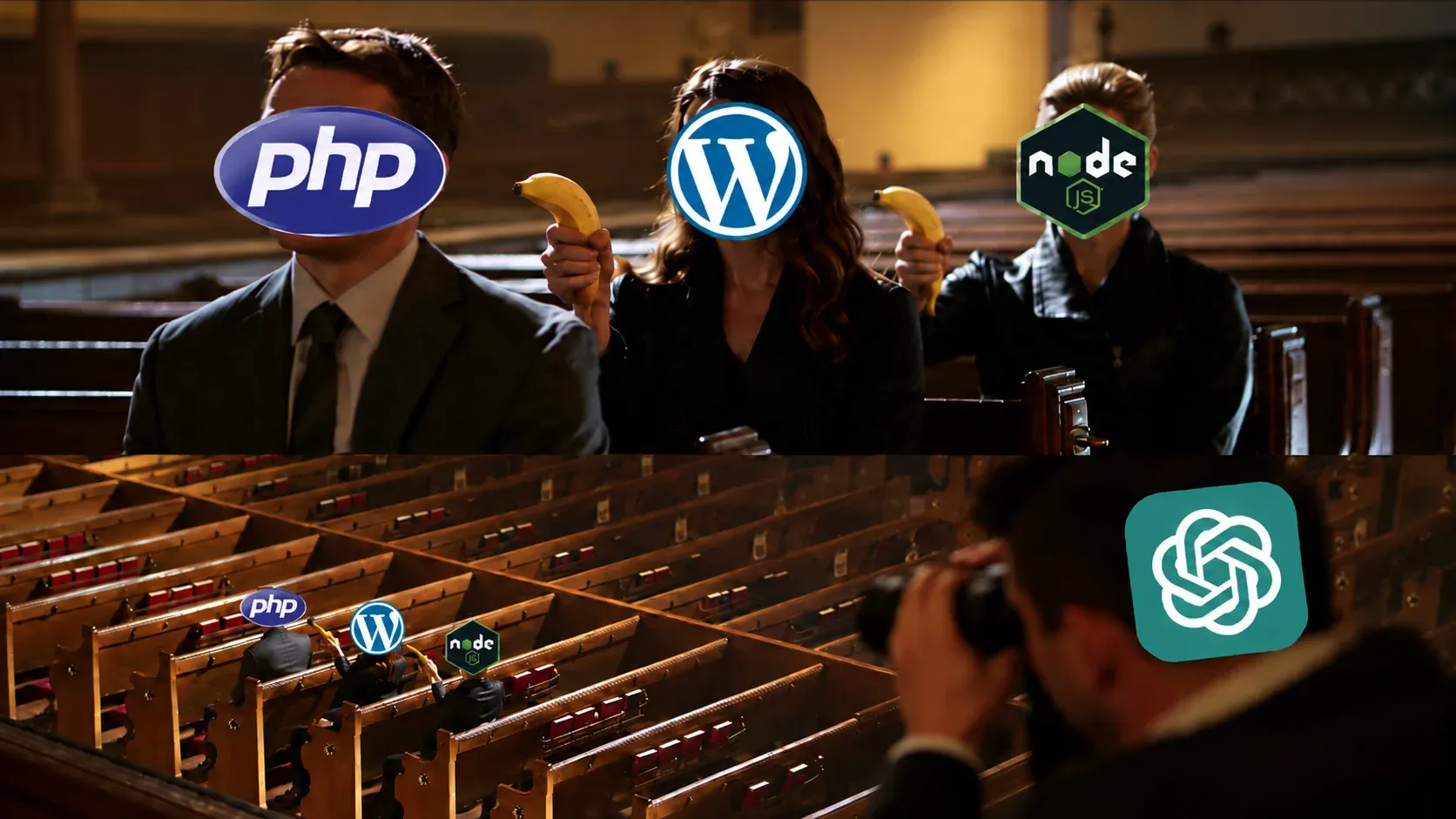
Taking ownership, despite PHP
I decided to disregard my former thoughts about micromanagement and take ownership of the website myself.
There's just one problem.
My software engineering background never really involved PHP.
I've always tried to avoid it as much as possible. For me, it's something like heresy or blasphemy. It's not even a programming language, in my opinion.
Of course, I'm exaggerating. Many people love PHP, and it's widely used for websites.
But I guess I'm just too young for PHP problems. My heart has always been more with Node.js or the .NET stack when it comes to web development.
Nevertheless, I decided to take a look at what we had.
First attempt: let's fix what we already have
I started working on the website transformation on October 1, 2026.
My first idea was straightforward: clean up the existing website, refactor the codebase, remove unnecessary duplication, and improve performance.
But I couldn't produce tons of code within a short period of time, so I decided to use Codex.
I reviewed the PHP code and realized that almost every page template had serious duplication issues.
Similar sections had been implemented by different people, with different approaches and opinions on how things should work.
The same problem existed visually. Components serving the same purpose looked different across pages, with inconsistent colors, borders, and spacing.
Together with our designer, we decided to unify the website's styles and components. But first, I wanted to get the existing codebase into a reasonable state.
With Codex, I was able to extract reusable components, eliminate duplication across pages, shorten the codebase, and improve performance.
And the interesting thing is that the prompts were pretty simple.
For example:
Take this section, [provide section ID from HTML page that's rendered], and replace it and extract it as a reusable. Check all other pages across the website and replace it with new page. Make sure to remove all legacy and unused code afterwards and validate your work.
That was basically it.
I could identify a section in the rendered HTML, give Codex its ID, and ask it to extract the implementation into a reusable component.
Then it could find similar implementations across the website, replace them, and remove the legacy code.
Along the way, I found quite a lot of other issues.
For example, some navigation menu icons displayed at 32 pixels were actually image files around one megabyte each.
Imagine loading a one-megabyte image just to display a tiny navigation icon.
So I asked Codex:
Take [image], analyze it, upscale it if needed, and convert it to WebP format. Optimize it for page loading performance, resize it to the actual display dimensions (for example, 32 × 32 pixels), and reduce the file size as much as possible without compromising visual quality.
We repeated this across the website, replacing unnecessarily large graphics and cleaning up the codebase.
And it worked.
Before
Approximately five to six seconds. Average: 5.7 seconds.
After
Under two seconds. Average: 1.7 seconds.
Which was pretty impressive.
I worked on this first phase from October 1 to October 10, spending approximately four hours per working day, excluding weekends.
That was roughly 28 hours spent cleaning up the PHP codebase and optimizing our existing WordPress website.
At this point, I thought I was done with the technical changes.
I just needed our designer to finish the new styling, and we could move forward.
So I took a break from active development.
But things got unexpectedly worse.
October 14: the website went offline
Between October 10 and October 14, I wasn't actively working on the website, but I kept monitoring our server metrics from time to time.
And I noticed occasional spikes in memory and CPU consumption.
The website was working, but something clearly wasn't right.
Then, around October 14, the website went offline.
At first, I thought it might have been caused by my recent changes.
So I started investigating and also used ChatGPT to dig into the existing website and server configuration.
What I found was that the issue didn't appear to be caused by my code changes.
PHP workers seemed to be getting stuck while handling requests associated with GTranslate, the plugin we used for real-time content translation.
Requests were piling up, consuming available server resources, and eventually the website stopped responding.
But the problem seemed to be that requests kept accumulating until the available resources were exhausted.
We hosted the website on a server with 2 GB of RAM and two CPUs, which I would expect to be enough for our website.
Now, I'm not saying that GTranslate is a bad product.
The issue was probably a combination of several factors in our infrastructure. The plugin required active maintenance and adjustments from our side to keep everything working correctly.
Our team had been updating IP allowlists, adjusting network configurations, and applying other temporary fixes.
But this wasn't solving the problem in the long term.
And honestly, I didn't want to continue maintaining infrastructure around a translation plugin.
At some point, it became so annoying that I probably developed some kind of psychosis and decided to recreate the whole website from scratch.
Instead of fixing another WordPress plugin, I decided to replace WordPress itself.
And PHP along with it.
Rebuilding with Node.js, Next.js, React, and Payload CMS
So on October 14, I started rebuilding the website.
I wanted to reduce our reliance on plugins and build a unified platform with a content management system, integrated translations, and a structure that I could control.
I'm comfortable with JavaScript and Node.js and had done several projects with them in the past.
Why Payload CMS?
Because it's built around Next.js, and Next.js looked like a pretty good option to me.
I wanted something that would allow me to work with a familiar technology stack instead of introducing another set of tools and dependencies.
Payload and Next.js also gave us a reasonable architectural foundation, so I didn't have to invent everything from scratch.
And yeah, I had a temptation to just tell the agent:
Rewrite the entire WordPress website using my desired Node.js, Next.js, React, and Payload CMS stack. Do it correctly, do it right, validate everything, use sub-agents, and don't bother me.
But I had to do it the other way around.
First, I established a basic deployable version of Payload CMS and got it running from zero.
Then I started building the frontend application with React, using the existing page templates and components as the source for refactoring.
The first alpha version was essentially a one-to-one migration, except for the database.
We introduced several new entities and reorganized content management. I wanted the CMS experience to feel more like Pipedrive or HubSpot, with navigation on the left and content on the right.
Migrating the existing website
One important thing to mention is that we weren't creating the entire website from zero.
We already had content, page structures, design ideas, and years of previous work.
In fact, this is probably the fourth major version of our website.
Back in 2019, we started with the Flaton WordPress theme. We even had a different logo back then.
Later, we developed our own theme, updated it, and continued improving the UI.
Our designer had also been working on the latest design system before this migration started.
So this was a full technical migration and restructuring of an existing website, not creating an entirely new product from scratch.
For the content migration, we extracted everything from WordPress and used an AI agent to map it into the new Payload CMS database model.
The agent helped transform the content to fit the new structure rather than simply copying everything into another database.
We also used agents to deploy the new website, cut over from the PHP implementation, and clean up the old PHP files and configuration from the server.
Was it the most elegant approach?
Probably not.
But for us, it was the fastest way to get everything migrated and running.
Fixing what didn't survive the rewrite
Once the initial rewrite was finished, I was looking at pretty much the same website, just with some slight differences.
And then I started addressing bugs.
Somewhere a slider stopped working. Somewhere the markup was shifted. Some components didn't behave exactly as they did before.
While fixing these issues, I realized that not all components had been properly replaced.
Some page templates still contained raw HTML, while others had newly implemented components that slightly resembled reusable ones we already had.
So I started identifying and cataloguing these places and addressing them one by one.
The prompt was something like:
Hey, here is a section [provide section name or ID]. Please replace it with the existing reusable component [provide component name]. Make sure to maintain the same or similar semantics and behavior, remove the legacy implementation, and clean up unused code.
I continued replacing legacy implementations, improving server-side rendering, introducing caching, and optimizing components.
From October 14 to October 23, I spent approximately four hours per working day on this second phase, roughly 32 hours in total.
An agent creates, another agent reviews, and a human decides
Another interesting part was how I organized development and deployment.
I wasn't working with just one agent doing everything.
I used several agents for different tasks and created reusable skills for website deployment.
These skills contained instructions about which deployment scripts to use, which tests to run, and how to handle different steps of the process.
During development, agents also created tools and scripts for testing and deploying the website.
So instead of explaining the entire deployment procedure every time, I could reuse the same instructions and processes.
For validation, I relied heavily on Git to track changes and review what was actually happening in the codebase.
By looking at Git diffs and reviewing changes file by file, I could identify duplicated code, repeated patterns, unnecessary branches, or complicated if-else statements.
Whenever I noticed something like that, I asked the agent to address it.
The architectural approach was mostly defined by Payload CMS and Next.js, so I wanted agents to follow the existing conventions of these frameworks rather than inventing a completely new architecture.
I also tasked separate agents with reviewing the implementation.
The process was pretty straightforward:
An agent creates, another agent reviews, and a human decides what's right or wrong.
And the human pays attention to the actual website, not just the code.
I was manually checking the UI, looking at how pages were rendered, testing components, and identifying visual issues that might not be obvious from reviewing the code alone.
In this case, I was acting as a developer, code reviewer, manual tester, and QA.
Roughly 30% of my time went into reviewing code, checking implementations, and validating results.
I also introduced additional agent-based checks before deployment to identify remaining issues and clean up code left behind after repeated iterations.
Because AI generates tons of code.
And if nobody pays attention to what it generates, you can easily end up replacing your old technical debt with new technical debt.
Translating the website with AI agents
Another important part of the implementation was translations.
Previously, we relied on GTranslate to translate our content in real time.
This time, I wanted translations handled directly within our platform.
We used an AI agent to translate our English content into all the other language versions of the website.
The prompt was:
You are translating content from English into [target language].
Analyze the English version of the content and identify brand names, technology-specific terms, product names, and other proper names.
Make sure you understand the original intent and exact meaning of the content before translating it. Keep the translation as close as possible to the original meaning and intent, while following the native language rules of [target language].
Preserve brand names, product names, and technology-specific terminology where appropriate.
After translating, validate your work to ensure the meaning is preserved, the language sounds natural, and no content has been omitted.
Make sure you translate all content, including the article title, headings, body text, and all associated metadata.
The goal wasn't just to translate words. I wanted content to follow native language rules and sound natural to local readers.
We also kept brand-specific information separate from translatable content, so company names, product names, and other important terms wouldn't be translated incorrectly.
Now we can manage translations directly in our CMS without relying on a plugin that translates everything in real time.
Of course, AI translation isn't perfect, especially with technical content about Salesforce, CRM, and software engineering.
So if you guys visit our website in your local language and notice that something sounds unnatural, is poorly written, or doesn't make sense, just send me a direct message.
I'll address it.
When Figma, Codex, and GPT-6 came together
In the meantime, our designer completed the new design system in Figma. And this is where things started getting interesting.
Figma supports MCP integration, and we already use OpenAI with Salesforce and other platforms. So I connected Figma to my OpenAI account.
This allowed me to take a link to a Figma node, whether it was a button, section, or another component, and pass it to Codex running GPT-6. Codex would take the design and implement it directly into our website.
Thanks to the previous work on extracting reusable components, it could apply the new design system across pages rather than implementing the same changes separately everywhere. Instead of manually writing CSS and adjusting every padding, border radius, or component layout, I could use the designer's work from Figma and have it implemented in the codebase.
Of course, it wasn't completely automatic. I still had to review the code, HTML structure, component behavior, and places where OpenAI might have taken a shortcut or misunderstood the requirements.
On average, each component took about two iterations.
The first was to implement the design. Making a component look like it does in Figma is one thing.
The second was to fix missing functionality, restore lost logic, or adapt the design to the component's actual behavior. Making sure it behaves correctly and preserves its functionality is another.
And that's where I spent most of my attention.
What we actually achieved
Before
Approximately five or six seconds.
After
Under one second on average.
With the new Node.js implementation, caching, server-side rendering, and other optimizations, pages now load in under one second on average, compared to approximately five or six seconds before the transformation.
generate and update articles
Now we can generate and update articles using the same Codex and ChatGPT approach that we used to develop the website.
updating existing pages
Instead of finding the right template or editing HTML, we can refer to a page URL, title, or section ID and explain what we want to change.
We looked at browser performance metrics, including page rendering, Largest Contentful Paint, and layout shifts, and used Semrush audits to evaluate site health, crawlability, navigation, and other technical issues.
But I also evaluated performance in a much simpler way.
With the old website, I could actually see delays, both on mobile and desktop. Pages took time to load, and the experience wasn't particularly comfortable.
With the new implementation, the difference was immediately noticeable.
The website simply feels significantly faster.
Of course, visual perception isn't a substitute for technical measurements, but it was an important indicator for me because this is what actual visitors experience.
Metric | Result |
|---|---|
Site Health | 94% |
AI Crawlability | 92%, up from 30% |
Crawlability | 97% |
Internal Navigation | 100% |
Site Performance | 100% |
According to our Semrush results:
Another important improvement was the number of technical issues.
Around September and October, Semrush reported approximately 2,000 issues, with peaks approaching 3,000.
Now we're down to around 400 issues, approximately 200 of which are related to Cloudflare's email protection mechanism being reported as broken internal links.
There are still things to improve, but compared to where we started, it's a completely different situation.
From website maintenance to direct-to-customer content
Performance wasn't the only improvement.
We also achieved something probably even more important: a much more comfortable way to create and manage content.
Previously, changing a page required someone to manually update templates, adjust content, and handle the technical work.
Instead of going through multiple people to transform our experience into website content, we can handle most of the routine work through the platform.
The engineer doesn't need to become a copywriter. The account executive doesn't need to become a developer. And the person who has an idea shouldn't have to wait months for someone to implement it on the website.
And this doesn't mean generating artificial AI slop.
Take this article, for example.
It's not actually being written manually. The ideas and thoughts are dictated, transcribed into text, and then refined.
We can say something like, "Reword this, make that part sound nicer, remove unnecessary words, use more polite language."
But the ideas, experience, and narrative are still ours.
AI helps us turn our thoughts into readable text, much like it helped turn our design and technical requirements into actual code.
And this is exactly the workflow we wanted.
This article is actually a good example of the content publishing process we're building.
The ideas come directly from our experience. We dictate them, transcribe them, review and improve the text, and then use an agent to prepare the content for our website.
The article will be uploaded into our CMS, translated into the other supported languages, reviewed, and published.
The same approach can work for technical articles, customer success stories, service descriptions, and other content we want to share.
Previously, we relied heavily on copywriters and website administrators to turn a few words from technical experts into full articles.
A technical expert spends a few minutes explaining what they did, and then a copywriter turns it into thousands of words.
Big, bold articles with lots of text, explanations, and quite often, lots of water.
Meanwhile, the actual engineer would probably describe the same project in a few sentences:
"Yeah, we did the thing. It was easy. It was interesting. It was fun."
Maybe they'll mention some business benefits along the way. Although business benefits are probably something an account executive should be able to explain much better.
We want our engineers to briefly explain what was interesting about the implementation, what was technically challenging, and what was useful, then return to doing other interesting work.
Rather than spending hours describing everything to someone who will eventually turn it into an article.
That's the kind of routine we wanted to eliminate.
And that's also what I mean by bringing production closer to the customer.
AI can help remove the routine work between these people, allowing knowledge to move much more directly from those who have it to those who need it.
Development effort and costs
60 hours
Overall, the latest website transformation took approximately 60 hours of my own development and review time, spread across two phases in October.
30%
Around 30% of that time went into code review, checking technical approaches, identifying problems, and validating AI-generated changes.
€245
With our ChatGPT Business subscriptions, we spent approximately €245 in additional token usage, on top of my regular subscription of approximately €23.
Of course, this doesn't mean the website was rebuilt entirely for €245.
That figure doesn't include my time, our designer's work, infrastructure, or the years of previous investment in the website.
We've been developing and improving our website since 2019, changing themes, updating designs, creating content, and adjusting the structure.
The latest migration reused much of that work.
But the interesting part is how much I was able to accomplish within approximately 60 hours of my own involvement, using AI for development, refactoring, testing, deployment, and code review.
What changed in practice
The comparison below is about the elapsed implementation timeline when working with a freelance developer, not project budgets or a like-for-like comparison of working hours.
For example, a page might involve around 40 hours of development work, spread across several weeks of work and ongoing improvements.
These estimates start after the idea and requirements are defined. Ideation and requirements are important phases in their own right, and they are not included here.
Before
Article from a brief: 8 hours.
Add a page: 3–4 weeks.
Add several pages: 1–3 months.
After
Article from a brief: 1 hour.
Add a page: 1–4 hours.
Add several pages: 1–4 hours.
Responsive design and validation
The agent also handles most of the responsive design and validation work, fixing obvious issues as well as problems that are difficult to spot.
Beyond expectations
Sometimes it exceeds expectations and creates something better than I originally requested.
Guidance is still needed
But it can also overcomplicate a solution or produce something that doesn't match my vision. Clear instructions, review, and human guidance are still needed.
What's next?
The technical foundation is now in place.
We have a platform that we can maintain without manually editing every single thing on the website.
Of course, we can still edit everything directly if we want to. But now we can simply tell the agent that maintains our website:
Hey, add [article], use [images], create some infographics or tables from this content, and publish it as [case study or blog article].
The same applies to updating existing pages.
For example:
Take this page [provide URL or page title], find this section [provide section name, title, or ID], and update it. Replace the image, update or enrich the text based on my instructions, and make sure everything follows our existing design system. Preserve the component's functionality and validate the changes.
Whether we want to replace an image, enrich a service description, publish an article, or update an entire section, we can explain what we want to achieve, review the result, and make adjustments if needed.
This saves hours of routine work that we can spend on developing ideas, researching customer needs, and creating useful content.
And yeah, the situation is now significantly better from pretty much every perspective.
The infrastructure is there. The platform is easy to maintain. Just articulate what you need, and the agent can add it in minutes. Content is easier to publish, and we have much more control over how the website works.
Now we can focus on ideas instead of technicalities.
But the more important change is how we can work with our customers.
Instead of having engineers, account executives, marketing, and website administrators separated by multiple steps and processes, we can make the exchange of knowledge much more direct.
The people who understand the customer's problems can share what they know, and the people who build solutions can hear what customers actually need.
Technology was never supposed to be the problem we spent most of our time solving.
It was supposed to help us deliver our ideas to customers.
And now, finally, technology is not a pain anymore.